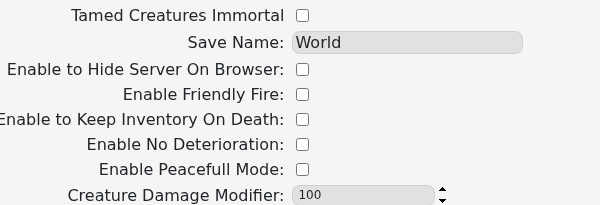
Smalland’s custom command line includes switches for peaceful mode, friendly fire, keeping inventory after death, item deterioration and immortal tamed creatures.
- Open your Smalland server and stop it.
- Click Commandline Manager, open Custom Commandlines, then edit the selected entry or create a new one.
- Tick the options you want to enable:
- Save the command line and select it if it is new.
- Start the server and test the changed behaviour in-game.
Peaceful Mode changes creature aggression, Keep Inventory On Death preserves player inventory, and No Deterioration prevents normal deterioration. Enable one change at a time on an established world so you can confirm its effect.
