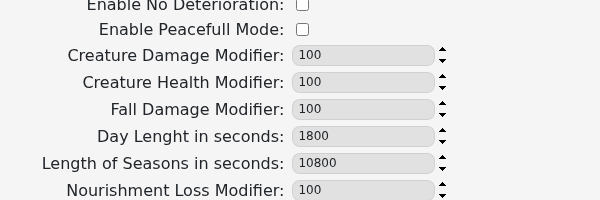
Use the Smalland custom command line to change creature damage and health, fall damage, day and season length, and nourishment loss. The panel’s default modifier value is 100.
- Open your Smalland server and stop it.
- Click Commandline Manager, then edit the selected custom command line or create a new one.
- Change the required modifier or duration. Day and season values are entered in seconds.
- Save the command line and select it if it is new.
- Start the server and test the result before changing further values.
Keep a note of the original values and make modest changes first. Extreme values can make survival unexpectedly easy or difficult, and a saved command line will not affect the server until it is selected.
