Create a manual Citadel: Forged With Fire backup before updates, configuration changes or other work that could affect the saved world and server files.
- Open your Citadel server in the control panel.
- Stop the server and wait until its status is fully stopped.
- Click Backup Server.
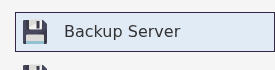
- Wait for the backup task to finish. Do not restart the server or edit its files while the task is running.
- Start the server again when the backup has completed successfully.
Keep a note of when and why you made the backup so you can recognise the correct restore point later. If the task reports an error, do not rely on that backup; try again or submit a support ticket before making the planned change.
