How to check The Forest server logs

The Log Viewer records connections, saves, game errors and ModAPI output. Keep showLogs on in server.cfg so useful server events are written.

  1. Open the service and click Log Viewer.
  2. Use Stream File to follow a current log or Download to inspect the complete file.
  3. For a failed start, find the first new error after the latest start time. Later messages are often consequences of that first failure.
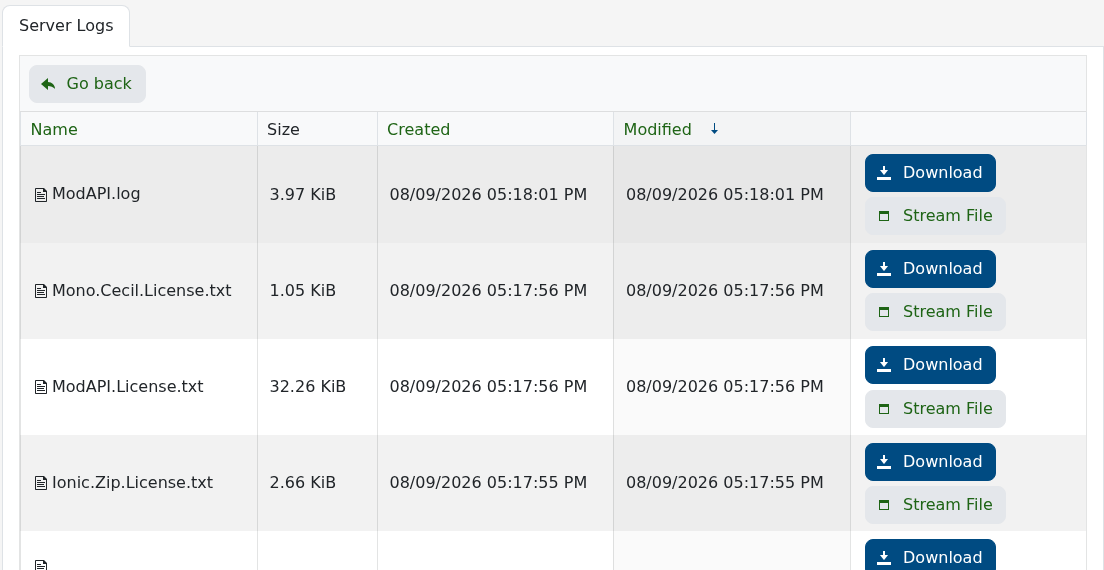
The Forest Log Viewer containing game and ModAPI logs

After installing ModAPI, its log appears alongside the game logs. Check that first when the unmodified server runs but a modded start does not.

  • 0 Users Found This Useful
Was this answer helpful?

Related Articles

How to configure your The Forest server settings

The Forest keeps its name, passwords, save slot, difficulty and gameplay options in server.cfg....

How to wipe your The Forest server

The current The Forest package does not have a separate Wipe Server button. A fresh world is...

How to join your The Forest server

When The Forest is running, the quickest route is the Join button beside the service's game...

How to become an admin on your The Forest server

The Forest uses an admin password rather than a list of player IDs. Anyone who knows this...

How to change The Forest save slot and autosave interval

The slot setting chooses which of five world saves the dedicated server loads....