Create a Smalland backup before updates, command-line changes or save uploads. Stopping the server first gives the backup a consistent copy of the current world files.
- Open your Smalland server in the control panel.
- Stop the server and wait until it is offline.
- Click Backup Server.
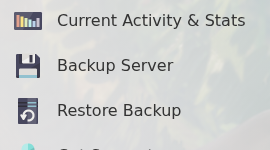
- Confirm the backup if prompted, then wait for the task to complete.
- Start the server again.
Do not begin a risky change until the backup task has completed. Older unlocked backups may be removed as backup slots are reused, so keep a separate downloaded copy of anything you cannot afford to lose.
