Gameplay rules are stored in SandboxSettings.ini. TCAdmin opens the current file directly, including comments that explain each option.
- Stop the server and open Configuration Files.
- Click Text Editor beside
SandboxSettings.ini. - Change only the values you need. Keep the
[SandboxSettings]line at the top of the file.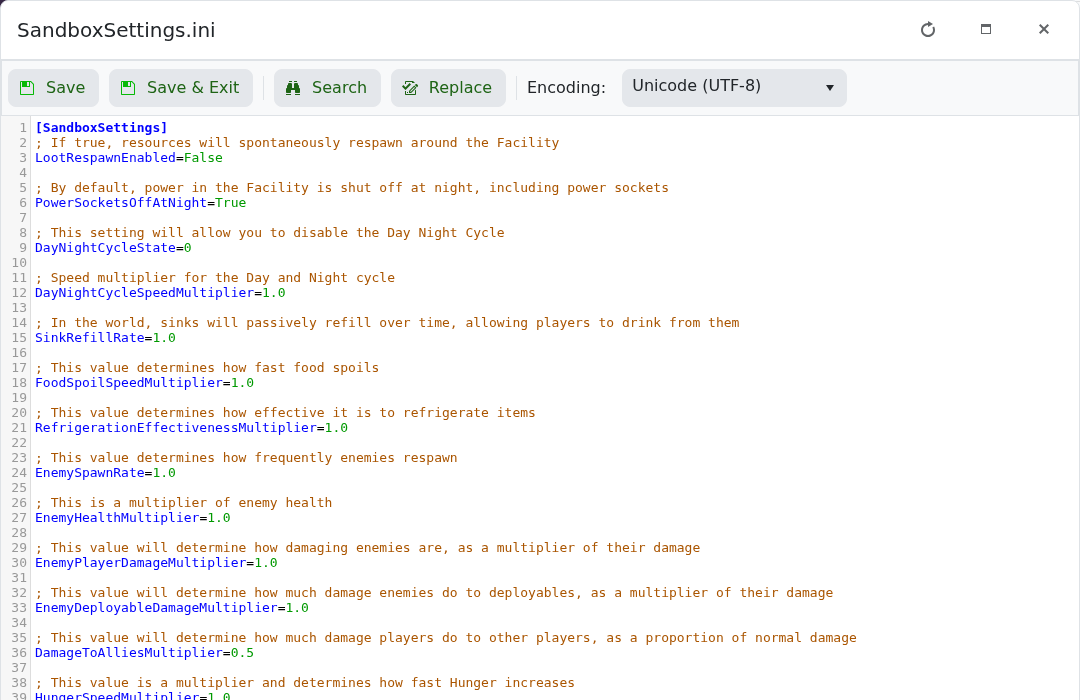
- Click Save & Exit, then start the server.
Boolean options use True or False. Multipliers normally use 1.0 as the standard value; a lower or higher number changes the effect described in the comment above it.
Keep a separate copy: download
Saved/Config/WindowsServer/SandboxSettings.ini before editing it. A tested panel restore recovered the server archive but did not replace this configuration file.