GameDifficulty selects the overall difficulty. The same file also provides separate controls for enemy health, damage, detection, accuracy and spawn rate.
- Stop the server, open Configuration Files and use Text Editor beside
SandboxSettings.ini. - Set
GameDifficultyto1for Normal,2for Hard or3for Apocalyptic. - Adjust individual enemy multipliers only if the preset does not give the balance you want.
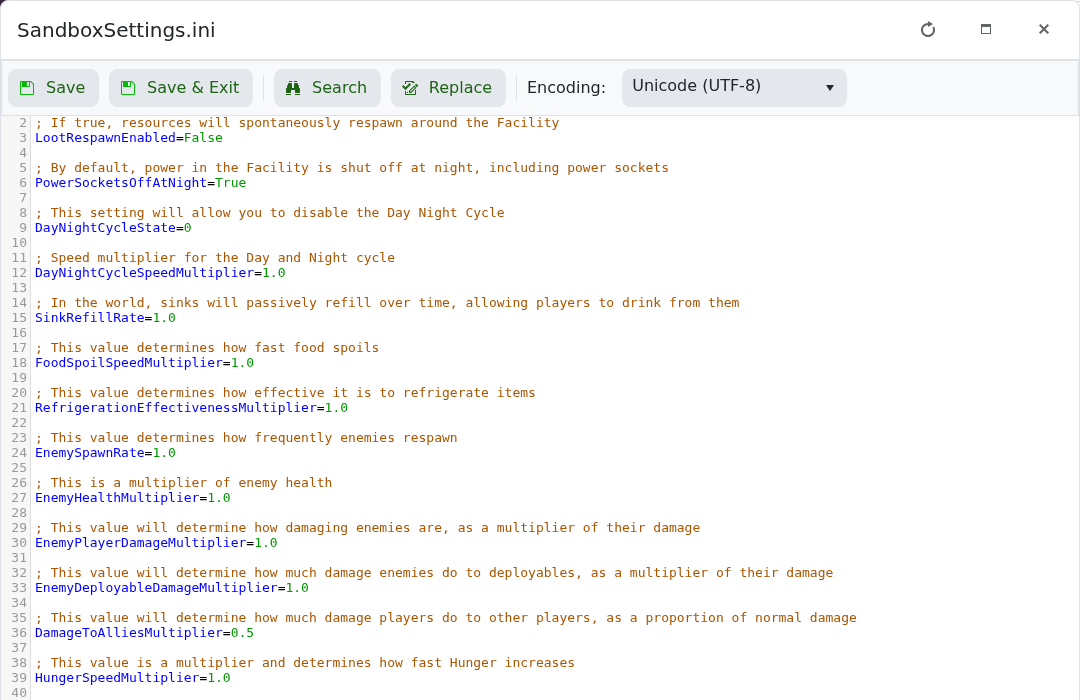
- Save the file and start the server.
| Setting | Effect |
|---|---|
EnemyHealthMultiplier | Higher values give enemies more health. |
EnemyPlayerDamageMultiplier | Higher values increase damage dealt to players. |
EnemySpawnRate | Higher values make enemies respawn more quickly. |
DetectionSpeedMultiplier | Higher values make enemies detect players faster. |
EnemyAccuracy | Uses 0 to 4, from very inaccurate to precise. |
Set HardcoreMode=True only when you want one-life characters and Apocalyptic difficulty.
