Moderators are assigned in server_config.sii using SteamID64 values. The declared count must match the number of indexed entries.
- Collect the 17-digit SteamID64 for each moderator.
- Stop the server and open
server_config.siiwith Text Editor. - Set
moderator_listto the number of moderators, then add entries starting at index0.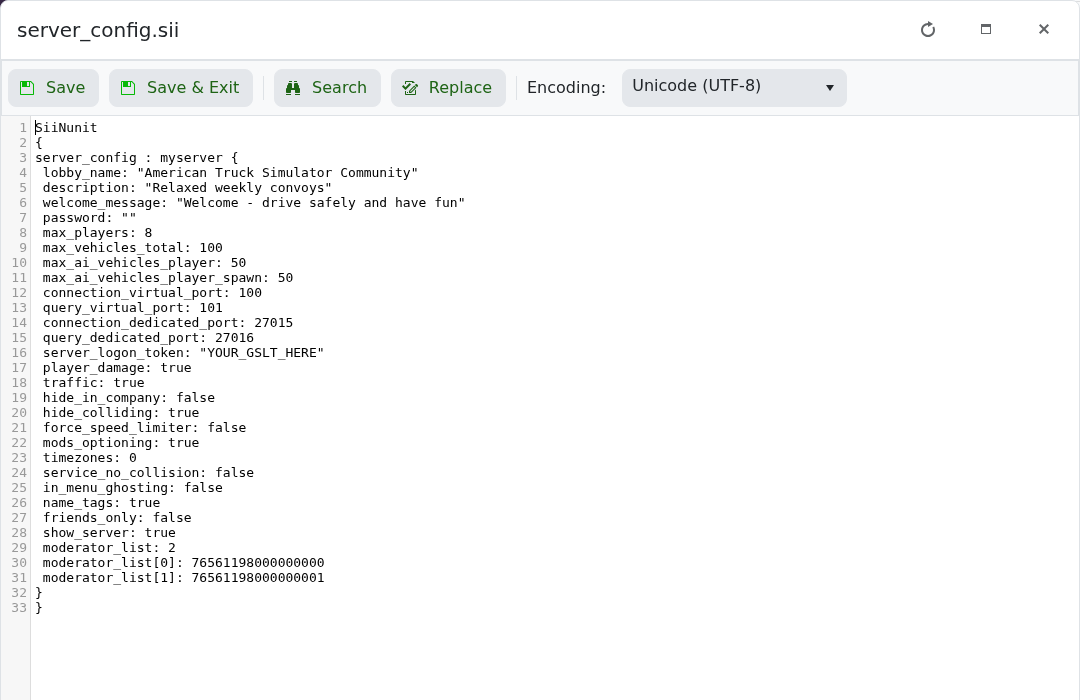
- Save the file and start the server.
moderator_list: 2
moderator_list[0]: 76561198000000000
moderator_list[1]: 76561198000000001
Replace the examples with real SteamID64 values. Moderators can use /set_time HH:MM, /set_rain_factor 0-1 and /help in the in-game chat.
