server_config.sii includes the Convoy traffic, collision and driving rules. Stop the service before editing it.
- Open Configuration Files and click Text Editor beside
server_config.sii. - Change only the required values and keep each setting inside the
server_config : myserverblock.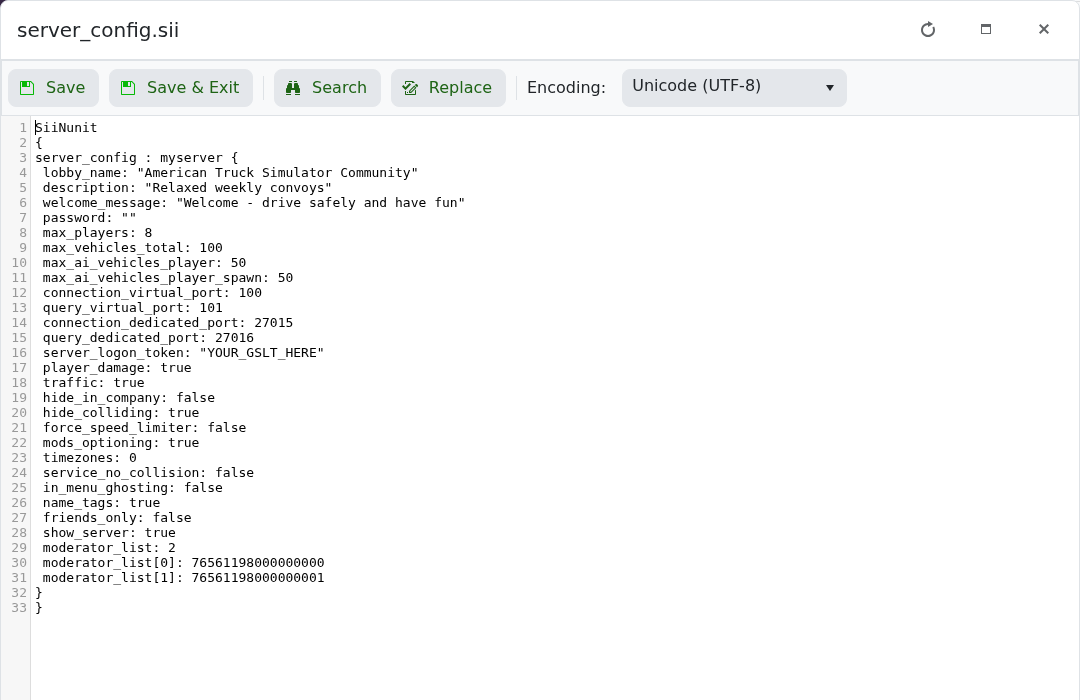
- Click Save & Exit, then start the server.
| Setting | Purpose |
|---|---|
player_damage | Allows players to receive damage from other players. |
traffic | Enables AI traffic in the session. |
force_speed_limiter | Forces the speed limiter for connected players. |
service_no_collision | Disables collisions in service areas. |
in_menu_ghosting | Controls collision protection while a player is in a menu. |
name_tags | Shows player names above vehicles. |
mods_optioning | Allows mods marked optional in the exported package to remain optional. |
Use lowercase true or false. Leave the dedicated and virtual port values unchanged; TCAdmin assigns those to the service.
