ATS dedicated servers load the map, DLC and mod selection from server_packages.sii and server_packages.dat. These files must be exported from a normal game client with the required profile and mods active.
- On your PC, open
%USERPROFILE%\Documents\American Truck Simulator\config.cfgand setuset g_console "1". - Launch the game, load the profile and activate the mods in the exact order the Convoy should use.
- Load a map, press
~and runexport_server_packages. - Close the game. The two package files are now in
%USERPROFILE%\Documents\American Truck Simulator. - Stop the server and upload both files into the server’s
American Truck Simulatorfolder, replacing the existing copies.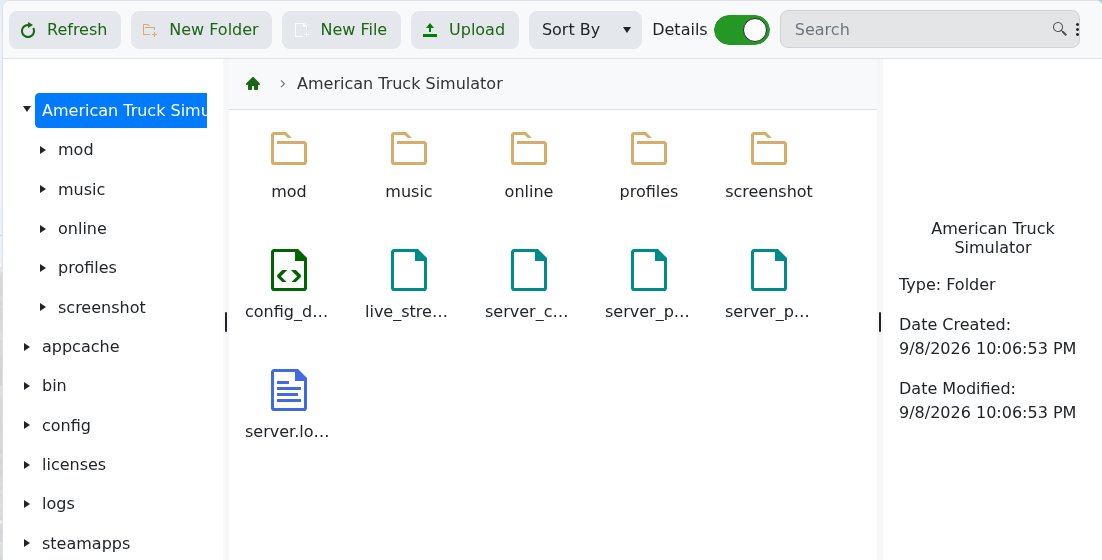
- Start the server and check
server.log.txt.
The dedicated server reads Workshop requirements from the exported package files; do not upload local Workshop mod archives into the server’s mod folder unless a specific non-Workshop mod instructs you to do so.
