How to change the password on your V Rising server

Print
  • 0

Use TCAdmin to set or change the password players need to join your V Rising server. You'll find the setting in the Config Editor for ServerHostSettings.json.

  1. Log in to TCAdmin and open your V Rising server. Your panel login details are in the setup email.
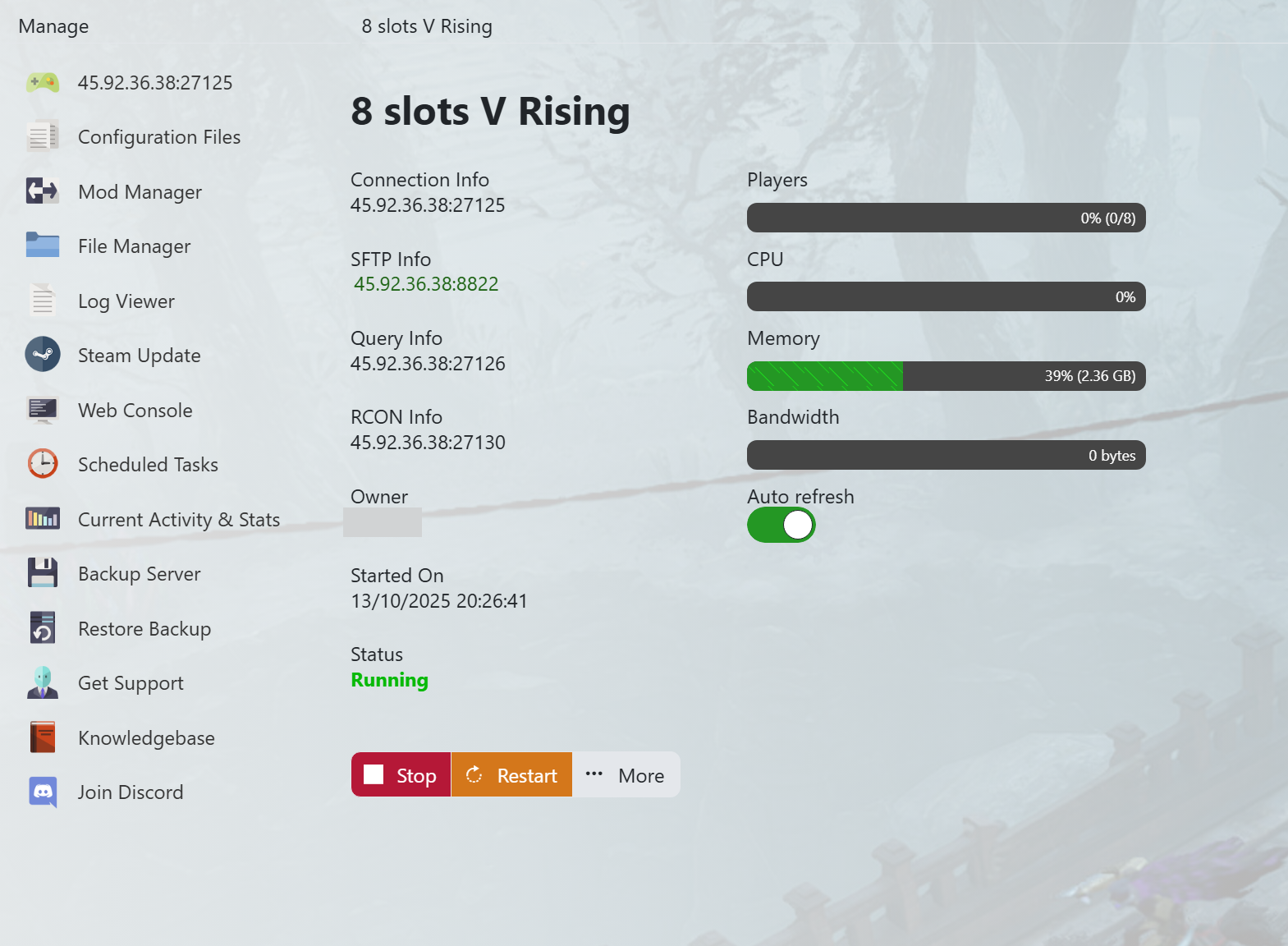
    How to change the password on your V Rising server - V Rising TCAdmin

  2. Click Stop and wait for the server to shut down before continuing.
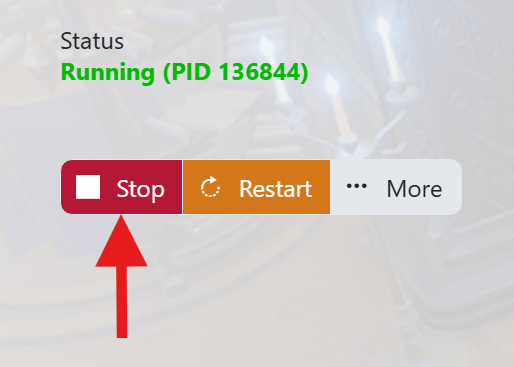
    How to change the password on your V Rising server - V Rising STOP

  3. Click Backup Server in the left-hand menu to back up your save files and configuration. Wait for the backup to finish before editing.

    How to change the password on your V Rising server - V Rising Backup

  4. Open Configuration Files from the left-hand menu.
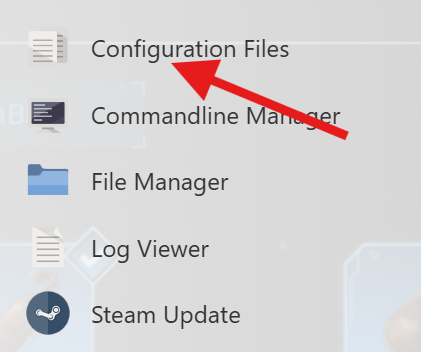
    How to change the password on your V Rising server - V Rising Configuration Files Button

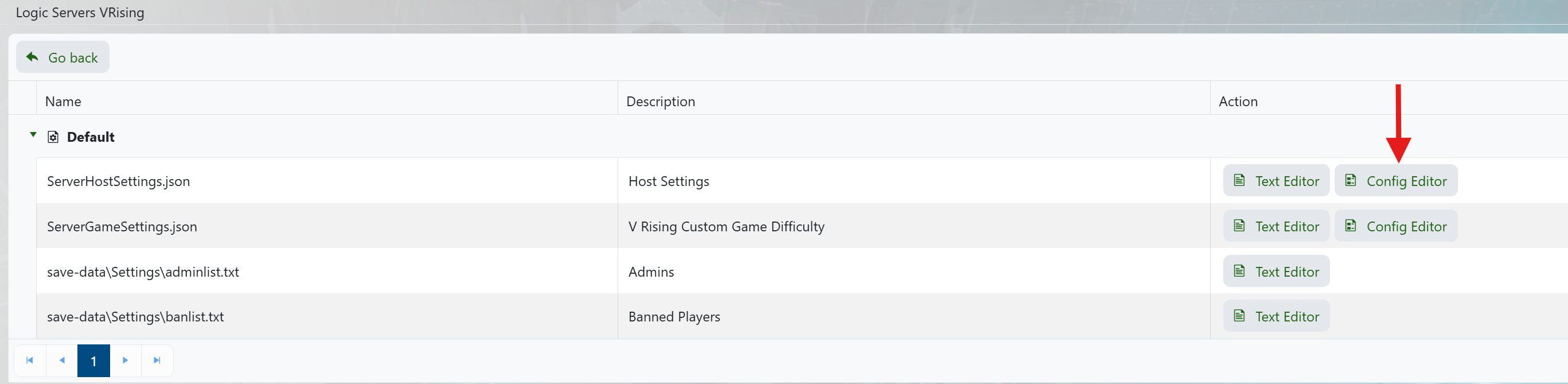
  5. Find ServerHostSettings.json and click Config Editor beside it.

    How to change the password on your V Rising server - V Rising Config Editor

  6. Enter your new password in Server Password. Click Save and Exit, then start the server again.
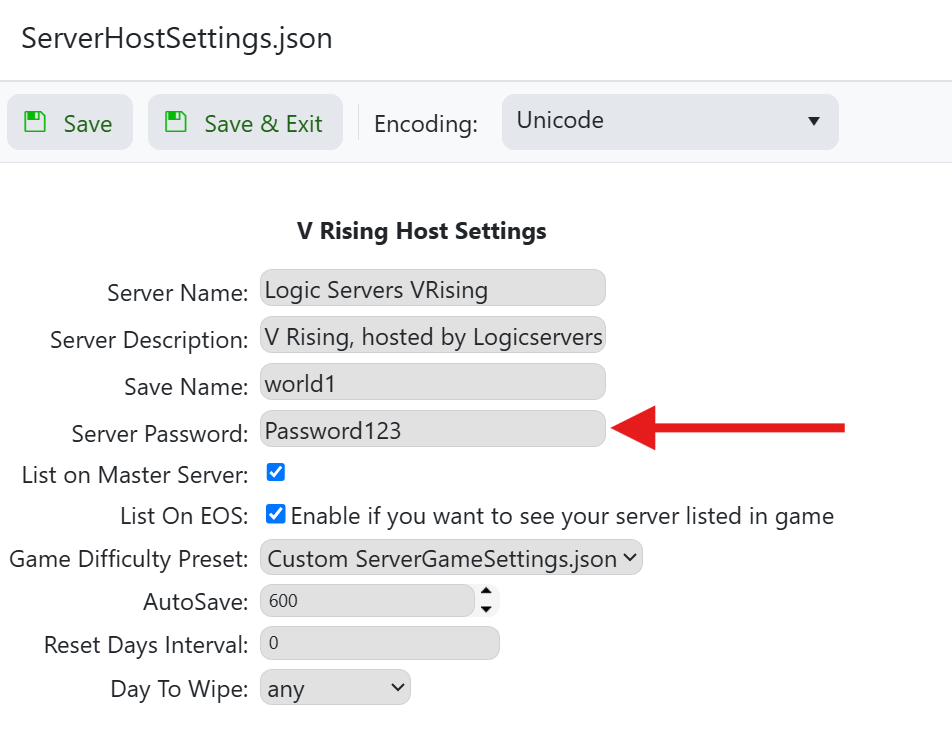
    How to change the password on your V Rising server - V Rising Server Password

Players will need the new password when they next join, so share it with the friends you want on your server.


Was this answer helpful?

Related Articles

« Back

Follow us on Social Media

Stay in the loop! Follow our social media accounts and stay up-to-date with the latest news, announcements, tips & tricks and behind-the-scenes insights!