How to change the name on your V Rising Server

Print
  • 0

Awaken as a weakened Vampire after centuries of slumber. Hunt for blood to regain your strength while hiding from the scorching sun to survive. Build a mighty castle worthy of your name and convert humans into loyal thralls to serve your growing empire. Pillage villages, raid bandit camps, and challenge supernatural beings, drinking their blood to steal their power. Make allies or enemies online or play solo locally and wage war in a world of conflict.

V Rising is an open-world vampire survival game that includes PvE, PvP, build, and crafting elements all wrapped up in a gothic horror setting.

Setting a name for your server

You can change the name that is displayed on your server to make it easier to see your server and for it to stand out in the games join menu.

Changing your servers name:

  1. Login to your TCAdmin control panel:

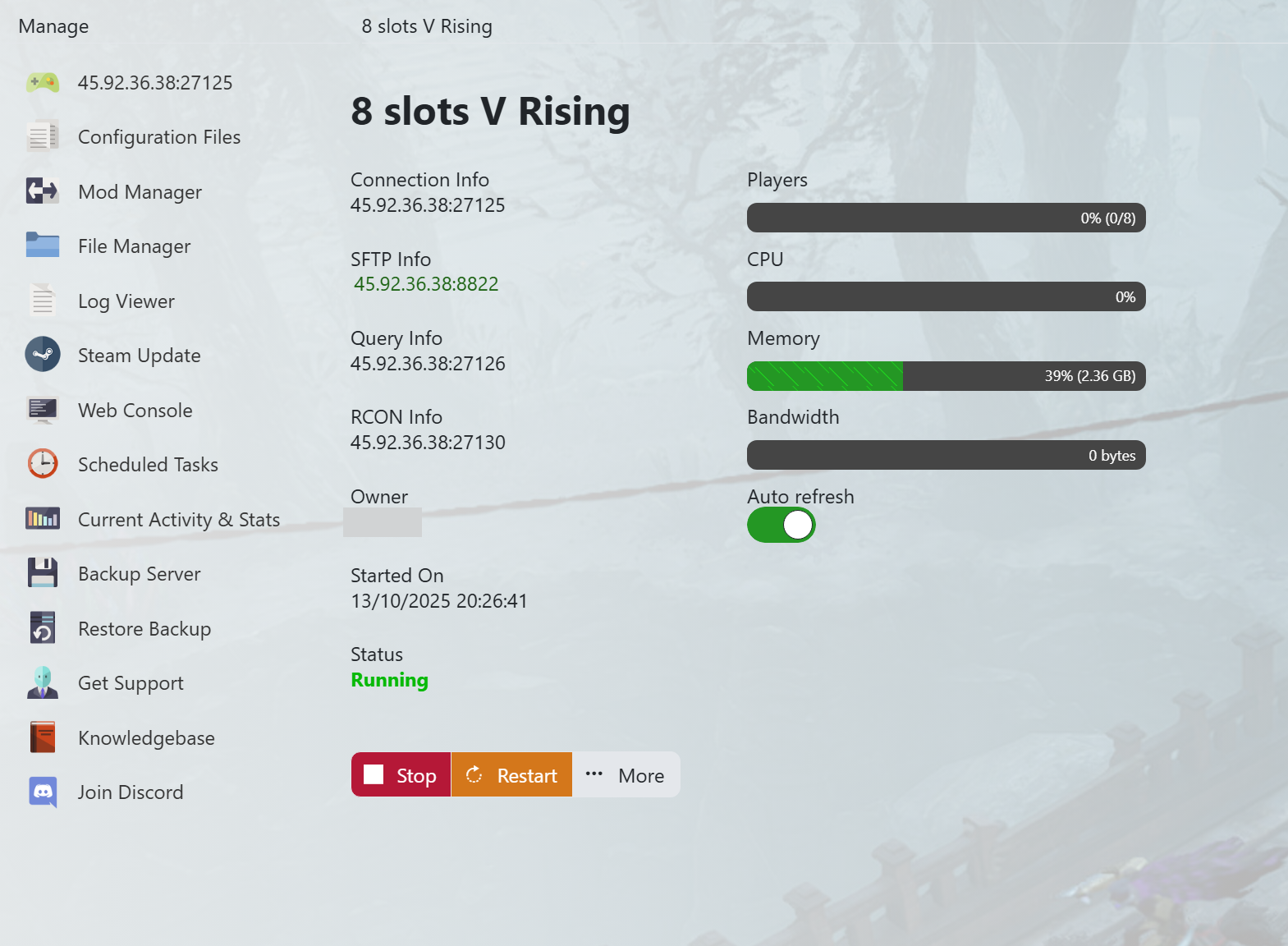
    How to change the name on your V Rising Server - V Rising TCAdmin

    When you purchased your V Rising server with us you will have been sent your login details via email. Use those details to login to your TCAdmin control panel. When you are logged into your panel you will see various options available to you. From here you can control your server. If you do not have a server with us you can get one here - https://logicservers.com/game-servers/v-rising

  2. Stop your server:

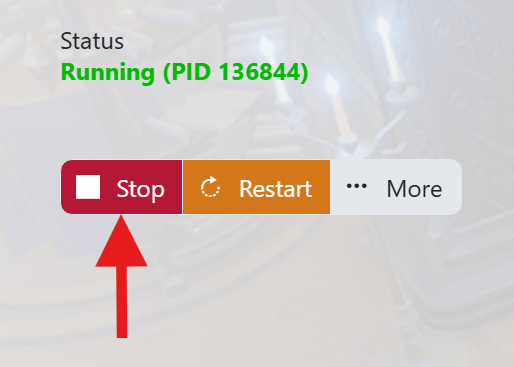
    How to change the name on your V Rising Server - V Rising STOP

    You will need to stop your server before you make any changes. Press the STOP button on your panel and wait until the server closes down.

  3. Manually backup your server:

    How to change the name on your V Rising Server - V Rising Backup

    It is always a good idea to backup your server before you make any changes. Simply press the backup button located on the left hand menu as shown in the image. This will backup your server's save files and config.

    Our system will pack up all your server's save files and keep them safe on our remote backup service, just to be extra safe.

  4. Open up your servers Configuration Files menu:

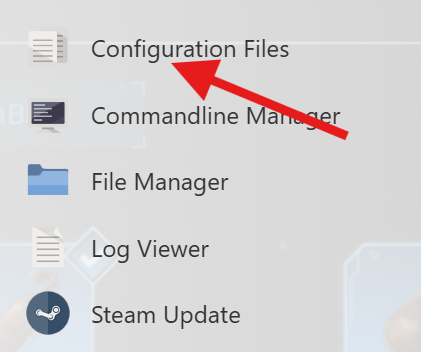
    How to change the name on your V Rising Server - V Rising Configuration Files Button

    Click on the Configuration Files button on the left hand menu on your server panel.

  5. Open up the Config Editor:

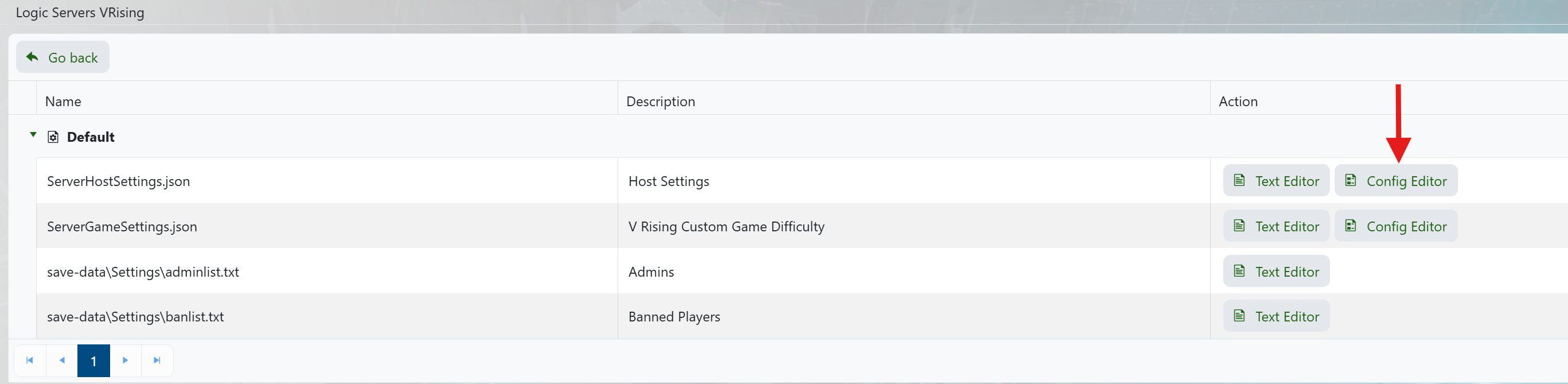
    How to change the name on your V Rising Server - V Rising Config Editor

    Click on the Config Editor button next to ServerHostSettings.json.

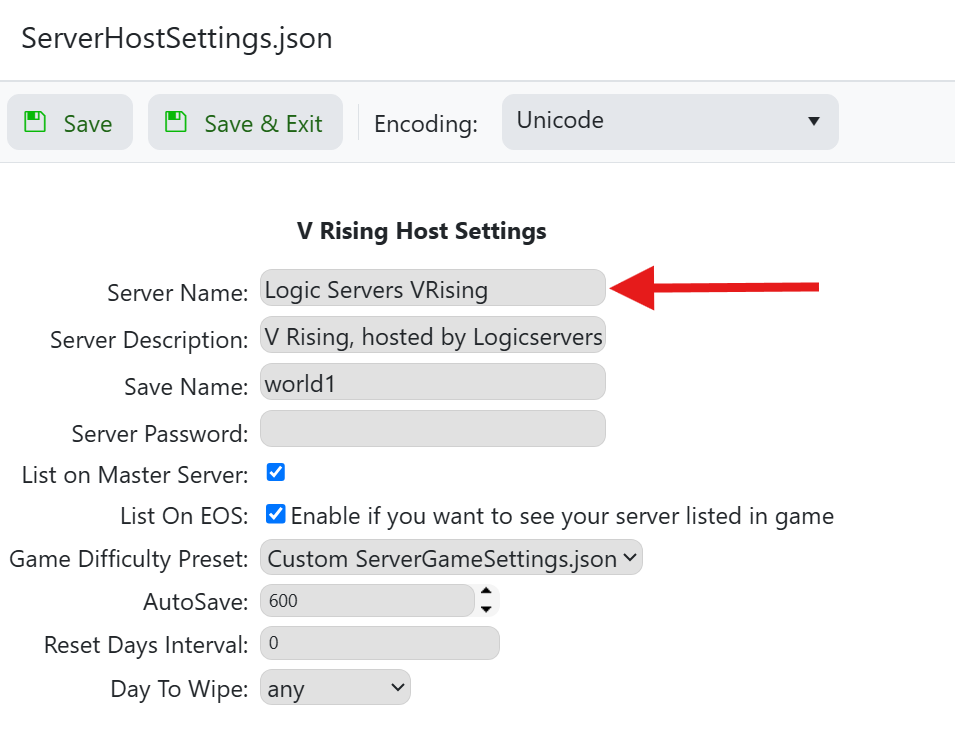
  6. Change your servers name and save it:

    How to change the name on your V Rising Server - V Rising Server Name

    Edit the text in the Server Name box and enter your desired name for your server.

    When you are done click on the Save and Exit button above and then start up your server.

Your server name will now be set so the new name will show when trying to join your V Rising server. This should make it easier for you and your friends to find and join your server from the game.


Was this answer helpful?

Related Articles

« Back

Follow us on Social Media

Stay in the loop! Follow our social media accounts and stay up-to-date with the latest news, announcements, tips & tricks and behind-the-scenes insights!