Use Web Console when you need to ban or unban a Rust player without joining the game. Rust bans are handled by SteamID64, so make sure you have the correct player ID before running the command.
- Open your Rust server in the control panel.
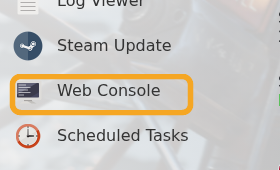
- Click Web Console.
- Run
statusfirst if the player is online, then copy the correct SteamID64 from the player list. - Ban a player with:
banid STEAMID64 "reason"
- Unban a player with:
unban STEAMID64
- Save the ban list with:
server.writecfg
If you prefer a remote console client, use How to use RCON with your Rust server. More examples are listed in Commands for Rust.
Check the player identifier
Use the exact identifier the game expects, such as a username, SteamID64, UUID, or player ID. Copy it carefully, because one wrong digit or character can apply the change to the wrong player or stop it working.
After making the change
Restart the server if the game requires it, then test with the affected player. If the change does not apply, check the console or log output for permission or formatting errors.
