Select an installed base map through Game.ini. Back up your current local files before changing maps.
- Stop your Path of Titans server and wait for Stopped.
- Open Configuration Files and click Text Editor beside
Game.ini.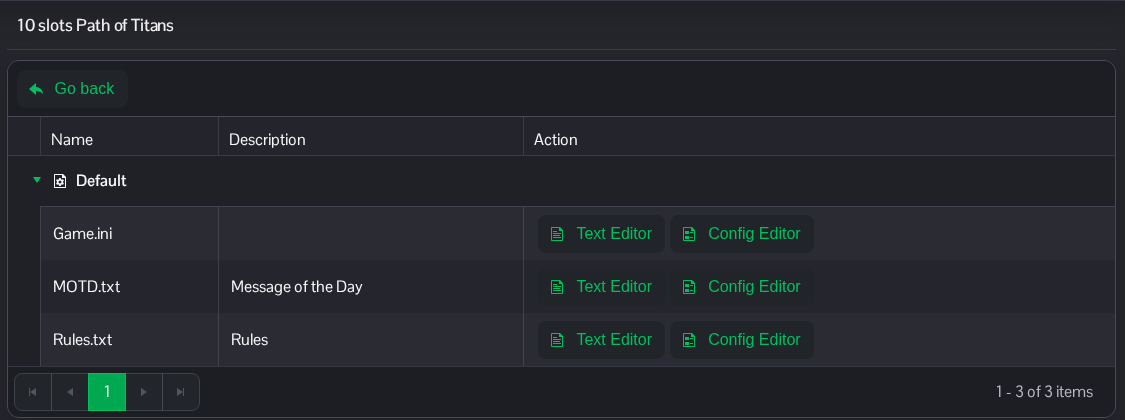
- Under
[/Script/PathOfTitans.IGameSession], changeServerMap. UseIslandfor Gondwa orPanjurafor Panjura. Keep the other entries in place.[/Script/PathOfTitans.IGameSession] ServerMap=Island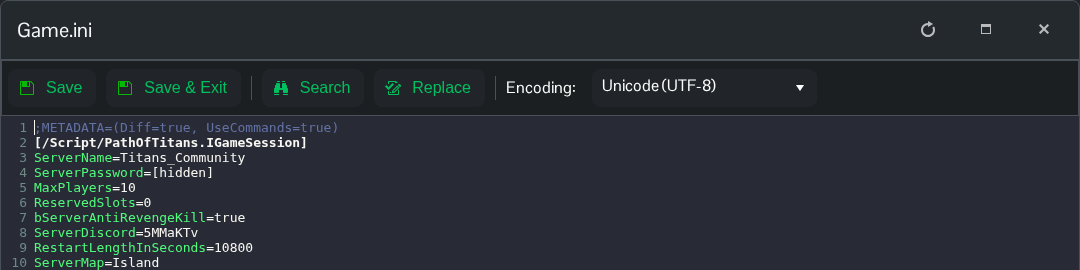
- Click Save & Exit, then start the server.
The same file is available in File Manager at Saved/Config/WindowsServer/Game.ini. FTP is an alternative for file transfers.
