Download PathOfTitans.log when you need to investigate startup, configuration or server errors.
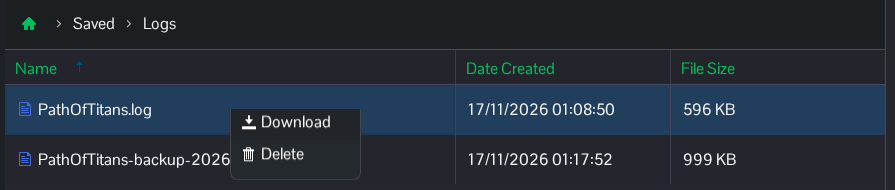
- Open File Manager and go to
Saved/Logs. You can also use FTP to access this folder. - Select
PathOfTitans.log. A dated backup filename is an earlier session. - Right-click the current file and choose Download. Open it in a text editor and check the entries near the time of the problem.
Check the file before sharing it. Startup and authentication logs can contain private passwords, hosting tokens and account details; remove those values from any copy you share.
