A server resource pack lets your Minecraft server ask players to download a pack when they join.
Set The Resource Pack URL
- Upload the resource pack zip somewhere publicly accessible. The link must be a direct download link.
- Stop the server.
- Open Files in the control panel, then edit
server.properties. - Set
resource-pack=to the direct download URL:
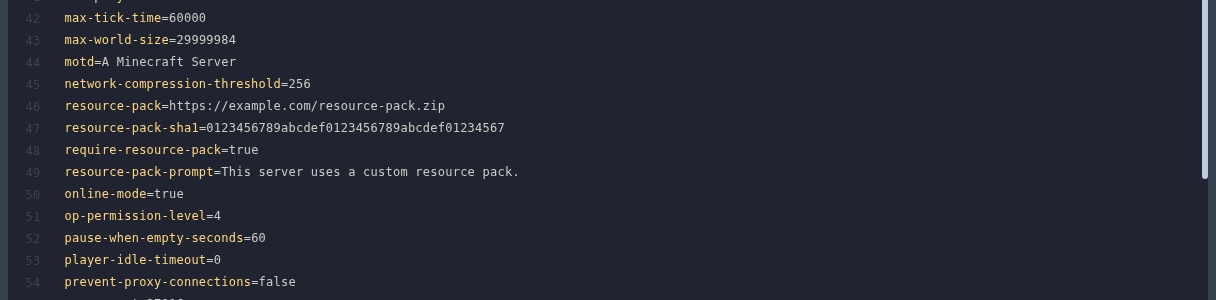
resource-pack=https://example.com/resource-pack.zip
- Set
resource-pack-sha1=to the SHA-1 hash of the zip file if you have it. This helps Minecraft check that players downloaded the correct file:
resource-pack-sha1=0123456789abcdef0123456789abcdef01234567
- If players must use the pack to join, set:
require-resource-pack=true
- Save the file, then start the server.
You can also set resource-pack-prompt= if you want players to see a short message before accepting the pack.
Generate The SHA-1 Hash
The SHA-1 value is generated from the resource pack zip file. Use the file exactly as players will download it.
On Windows, open PowerShell in the folder with the zip file and run:
Get-FileHash .\resource-pack.zip -Algorithm SHA1
On Linux or macOS, open Terminal in the folder with the zip file and run:
shasum -a 1 resource-pack.zip
Copy the hash value into resource-pack-sha1=.
If players cannot download the pack, open the URL in a private browser window and make sure it downloads the zip directly.
