WorldEdit is available as a plugin for Paper, Spigot, Purpur, and Bukkit servers, and as a mod for Forge, NeoForge, or Fabric servers. Download the file that matches your server type and Minecraft version.
Install WorldEdit
- Download WorldEdit from Modrinth: WorldEdit on Modrinth.
- For Paper, Spigot, Purpur, or Bukkit servers, download the plugin jar.
- For Forge, NeoForge, or Fabric servers, download the mod jar.
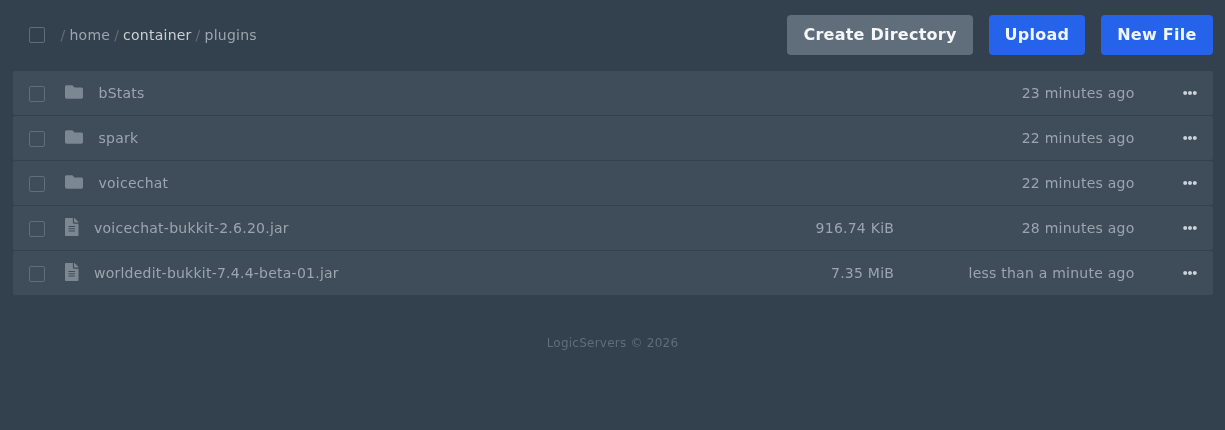
- Open Files in the control panel, then open the correct folder.
- Use
pluginsfor Paper, Spigot, Purpur, or Bukkit. - Use
modsfor Forge, NeoForge, or Fabric.
- Use
- Upload the WorldEdit jar file into that folder.
- Do not extract the jar file.
- You can stop the server first if you prefer, but it is not required for uploading the file.
- Start or restart the server so WorldEdit can load.
Check WorldEdit Loaded
Join the server and run a simple WorldEdit command, such as:
//wand
If you do not have permission to use WorldEdit, make yourself OP or add the correct permissions through your permissions plugin. Only give WorldEdit access to trusted staff, as it can make large world changes very quickly.
If you need OP first, follow this guide: How to OP or de-op a player on your Minecraft server.
