BungeeCord is a proxy for linking multiple Minecraft Java servers together. It does not run a normal survival world by itself; players connect to BungeeCord, then BungeeCord sends them to your backend Minecraft servers.
Install BungeeCord
- Open the server you want to use as the proxy. If it already has files you need, take a backup first.
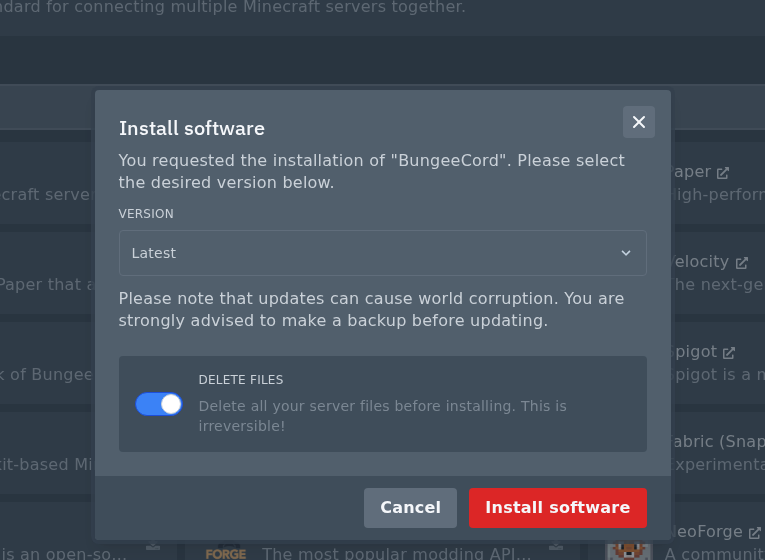
- Open Versions and find BungeeCord.

- Click the install icon on the right, then install BungeeCord.
Check Delete files for a clean proxy install. This wipes the server, so back up anything you need first.
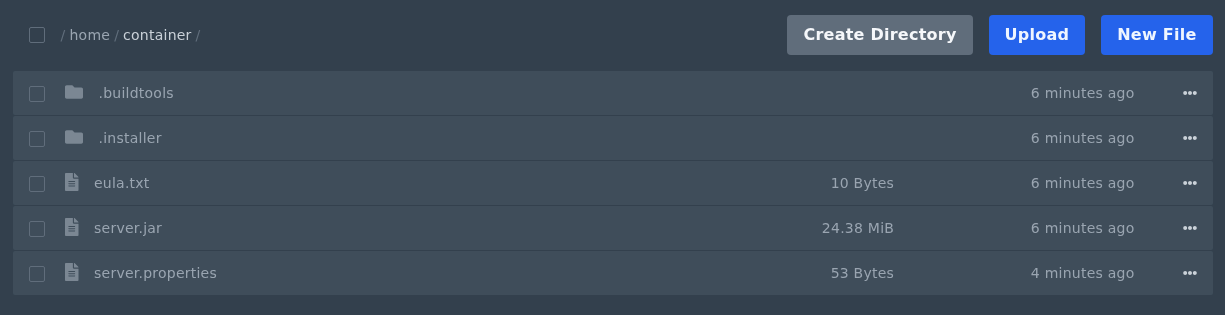
- Start the server once so BungeeCord can create its files.
Connect Your Backend Servers
- Open Files, then edit
config.yml. - Add each backend Minecraft server under
servers:. These backend servers are usually Paper, Spigot, or Purpur servers, not more BungeeCord servers. - Set the listener priority to the backend server players should join first. For example:
listeners:
- host: 0.0.0.0:25577
  motd: '&aLogicServers Network'
  priorities:
  - lobby
servers:
  lobby:
    address: 45.92.36.121:27147
    motd: '&aLobby Server'
    restricted: false
ip_forward: true
online_mode: true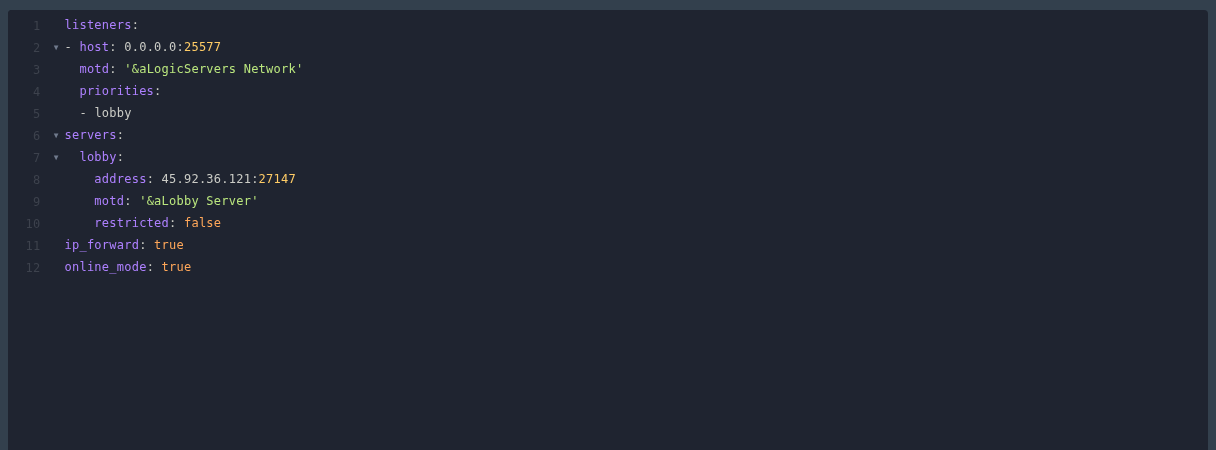
- Save the file, then restart BungeeCord.
Configure The Backend Servers
Each backend server needs to trust the BungeeCord proxy. Do this on every Paper, Spigot, or Purpur server that BungeeCord will send players to.
- In
server.propertieson the backend server, set:online-mode=false
- Enable BungeeCord forwarding on the backend server.
- For newer Paper servers, open
config/paper-global.ymland set:proxies: bungee-cord: online-mode: true - For Spigot or older Paper/Purpur setups, open
spigot.ymland set:settings: bungeecord: true
- For newer Paper servers, open
- Restart the backend server after saving changes.
Backend servers should only be joined through BungeeCord. Do not advertise the backend IP and port to players. If you need the backend servers restricted so players cannot bypass the proxy, submit a support ticket and we can check the setup with you.
