The Minecraft player limit is controlled by the max-players setting in server.properties. This changes how many players Minecraft allows online at the same time.
Change max players
- Stop your Minecraft server from Console, then open Files.
- Open
server.propertiesin the file editor. - Find
max-playersand change the value to the player limit you want.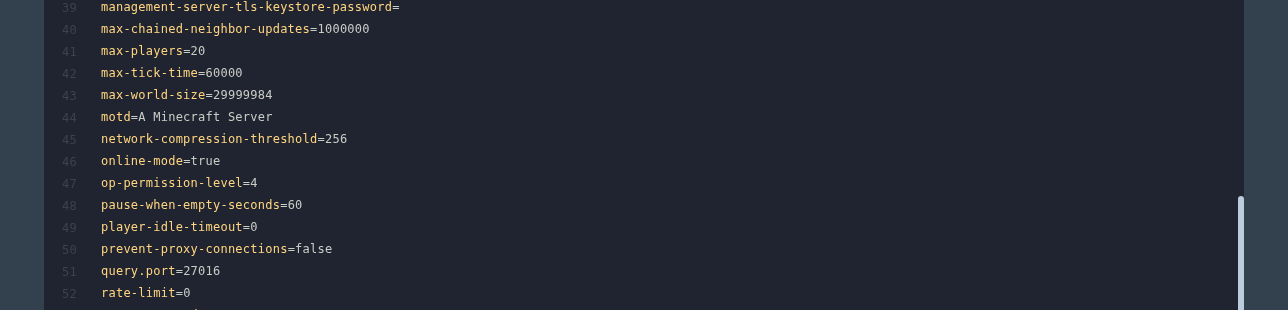
- For example, this allows up to 20 players online at once:
max-players=20
- Save the file, then start the server again.
Server performance
Increasing max-players does not add more RAM or CPU power to the server. If the server starts lagging with more players online, lower the player limit again or upgrade the service from the client area.
Recommended player counts by RAM
There is no exact RAM-per-player number for every Minecraft server. View distance, farms, entities, plugins, and modpacks all change how much memory is needed. As a rough guide, vanilla players often need around 100-200MB each, while modded players can need 250-500MB or more each depending on the pack.
These are starting points, not hard limits. If your server has a high view distance, lots of entities, heavy automation, or a large modpack, use the lower end of the range.
| RAM | Vanilla | Light plugins or light mods | Large modpacks |
|---|---|---|---|
| 2GB | Up to 8 players | 4-6 players | Not recommended |
| 3GB | Up to 12 players | 6-8 players | 3-5 players |
| 4GB | Up to 16 players | 8-12 players | 4-8 players |
| 6GB | Up to 24 players | 12-18 players | 6-12 players |
| 8GB | Up to 32 players | 16-24 players | 8-16 players |
| 12GB | Up to 48 players | 24-36 players | 12-24 players |
| 16GB | Up to 64 players | 32-48 players | 16-32 players |
| 20GB | 64+ players | 40-60 players | 24-40 players |
