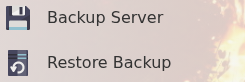
Restore a Icarus backup when you need to roll the server back after a failed update, broken mod install, unwanted configuration change, save upload, or world issue. Restoring replaces the current server files with the selected backup.
- Open your Icarus server in the control panel.
- Stop the server.
- Click Restore Backup or open the panel's Backups section and choose the restore option.
- Select the backup you want to restore. Use the timestamp to choose the correct restore point.
- Confirm the restore when prompted.
- Wait for the restore task to finish.
- Start the server and check that the expected save or configuration has loaded.
If you are restoring because of a failed mod or config change, do not apply the same change again until you know what caused the issue. If you are unsure which backup to restore, submit a support ticket before overwriting the current files.