Wiping an Icarus server removes the saved prospects from the server so you can start again with a fresh world. Icarus prospects are stored as .json files, so only delete the prospect files you no longer want.
- Open your Icarus server in the control panel and stop the server.
- Take a backup first: How to backup your Icarus Server. If you want to keep a copy outside the control panel, download the prospect
.jsonfile before deleting it. - Click File Manager.
- Open
Icarus/Saved/PlayerData/DedicatedServer/Prospects.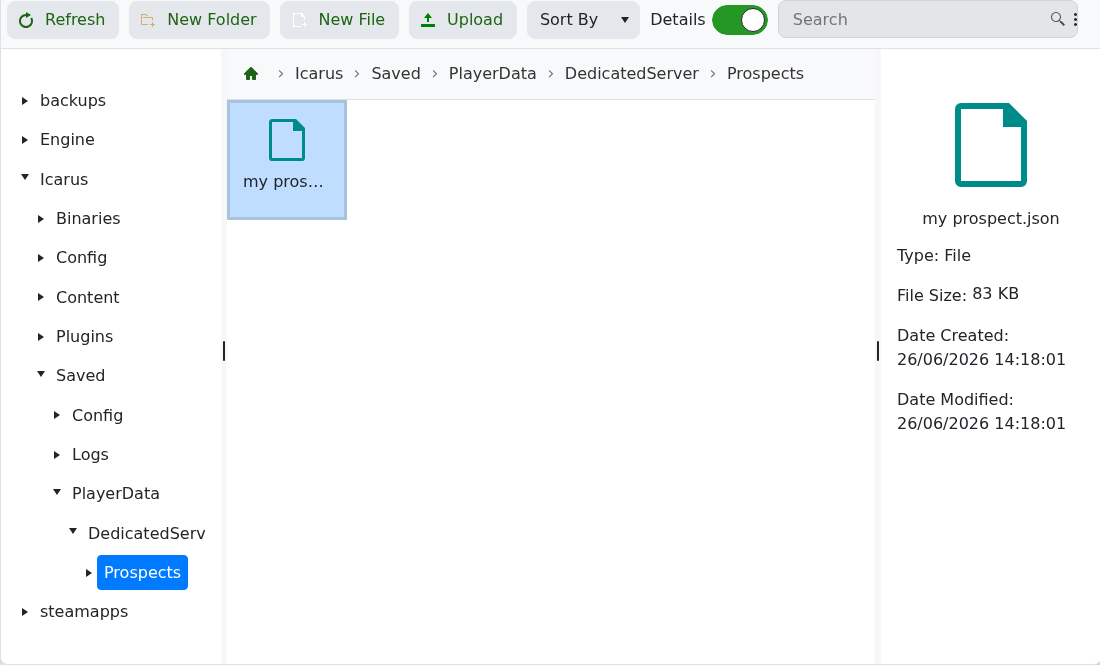
- Select the old prospect
.jsonfile you want to remove, then delete it. Repeat this for each prospect you want to wipe. - Click Configuration Files, then open
ServerSettings.iniwith Text Editor. - If
LoadProspect=points to a deleted prospect, clear it so the line is left asLoadProspect=.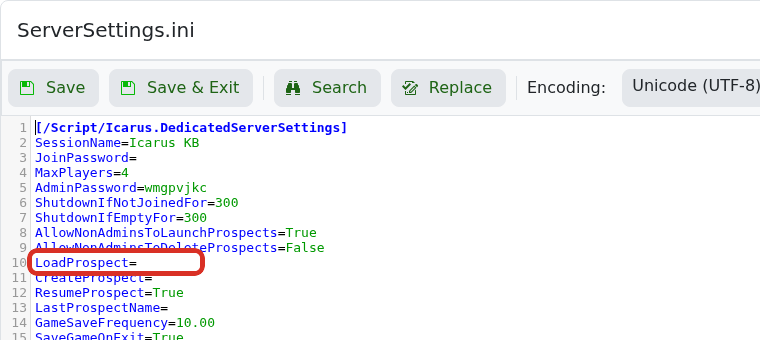
- Make sure
ResumeProspect=Trueis still set if you want the next prospect to resume after restarts. - Click Save & Exit, then start the server.
- Join the server and create a new prospect: How to create a world on your Icarus server.
If the server still tries to load an old prospect after the wipe, submit a support ticket and include the prospect name you deleted.
