Keeping game server files organised makes updates, backups, troubleshooting, and migrations much easier. Avoid scattering server files across Downloads, Desktop, and temporary folders.
- Connect to the Windows VPS with Remote Desktop.
- Create a main folder for server files, such as
C:\Servers. - Create subfolders for tools, backups, and each game server.
- Keep downloaded zip files and installers in
C:\Toolsor remove them after extraction. - Keep manual backups in
C:\Backupsor move them off the VPS when they are no longer needed.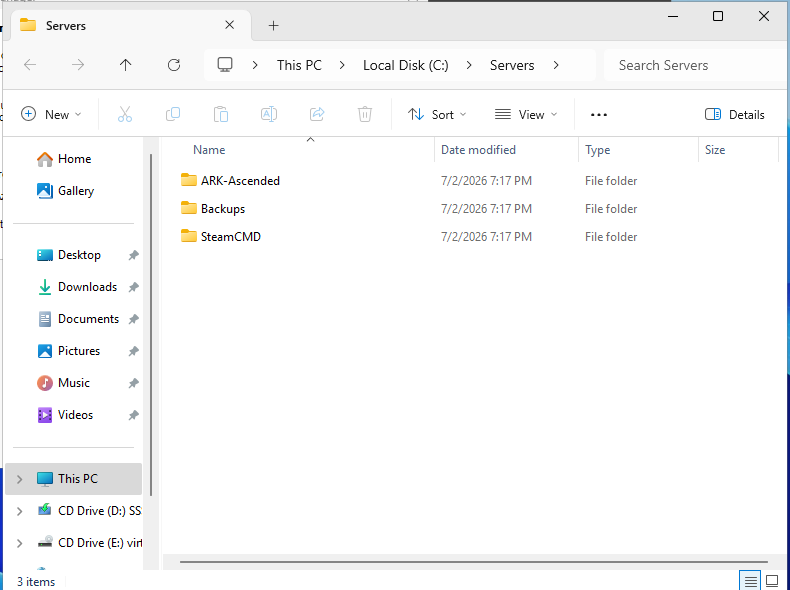
A simple layout is:
C:\Servers
C:\Servers\SteamCMD
C:\Servers\GameName
C:\Backups
C:\Tools
Do not run production game servers from the Downloads folder. Keep a clear folder name per game so you can back up and update the right files later.
Example layout
| Folder | Use |
|---|---|
C:\Servers\SteamCMD | SteamCMD files and update tool. |
C:\Servers\ARKSA | One game server install. |
C:\Backups | Manual backup copies before updates or config edits. |
C:\Tools | Installers, scripts, and admin utilities. |
Use names that make sense to the server. A clear folder structure saves time when you need to restore a save, move a server, or find logs later.
