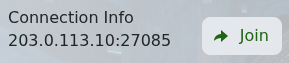
Soulmask 可以直接连接到 TCAdmin 显示的游戏地址。使用位于 Connection Info 下的 IP 地址和端口,不要使用 SFTP、Query 或 RCON 端口。
- 打开您的 Soulmask 服务,并记录 Connection Info 下的 IP 地址和端口。
- 启动 Soulmask 并选择 Online Game。
- 在服务器列表底部点击 Connect To The Server Directly。
- 在各自字段中输入 IP 地址和端口,如果设置了服务器密码则填写,然后连接。
如果连接失败,请确认服务处于 Running 状态并且您的游戏已完成更新。只有在直接连接成功后再按已配置的服务器名称搜索,因为公共服务器列表可能需要更长时间刷新。
