MaxPlayers 控制同时可以连接的玩家数量。
- 停止服务器,打开配置文件,并使用文本编辑器编辑
Engine.ini。 - 在
[Dedicated.Settings]下找到MaxPlayers并输入所需的数值。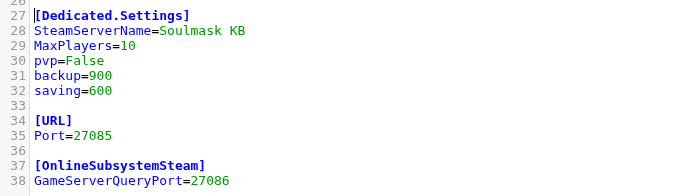
- 点击 保存 & 退出 并启动服务器。
MaxPlayers=10
不要将该值设置超过您服务的插槽配额。如果您需要更多插槽,请先更改服务配额,以便配置的限制与托管计划保持一致。
MaxPlayers 控制同时可以连接的玩家数量。
Engine.ini。[Dedicated.Settings] 下找到 MaxPlayers 并输入所需的数值。
MaxPlayers=10
不要将该值设置超过您服务的插槽配额。如果您需要更多插槽,请先更改服务配额,以便配置的限制与托管计划保持一致。
