详细的 Soulmask 速率和世界规则存储在 GameXishu.json 中。其设置名称以拼音书写,因此请保留一份可用文件的副本,仅更改您能够自信识别的值。
- 创建面板备份,下载单独的
GameXishu.json副本,然后停止服务器。 - 打开 Configuration Files,并在
GameXishu.json旁单击 Text Editor。
- 在每个编号的顶层部分中找到所需的键,并一致地更改相应的值。
- 保留所有引号、逗号、大括号和键名不变,然后单击 Save & Exit。
- 启动服务器并在游戏中测试更改后的行为,然后再编辑另一组值。
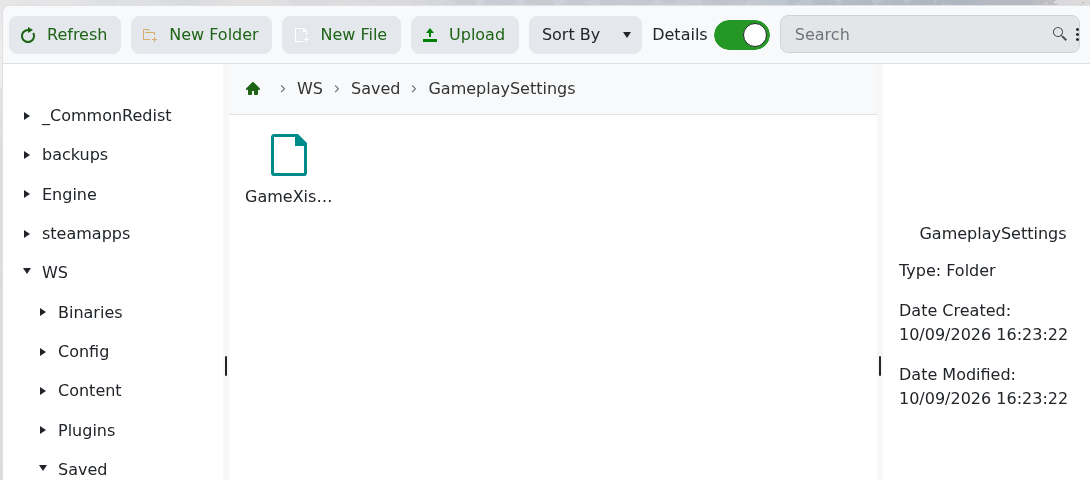
实时文件也存储在 WS/Saved/GameplaySettings/GameXishu.json。
对所有三个部分的 ExpRatio 进行的测试更改在服务器重启后仍然存在,并且可以通过 Restore Backup 恢复。持久性并不证明每个游戏设置都接受任意值,因此请保留原始文件并进行小幅更改。
