Squad 通过 Admins.cfg 中的命名组分配管理员权限。每个玩家条目都会将一个 SteamID64 关联到其中一个组。
- 在游戏控制面板中打开你的 Squad 服务并停止服务器。
- 打开 Configuration Files,然后选择
Admins.cfg旁边的 Text Editor。 - 添加一个包含所需权限的组,然后在其下方添加玩家。将
YOUR_STEAMID64替换为该玩家的 17 位 SteamID64。Group=CommunityOwners:kick,ban,changemap,chat,reserve Admin=YOUR_STEAMID64:CommunityOwners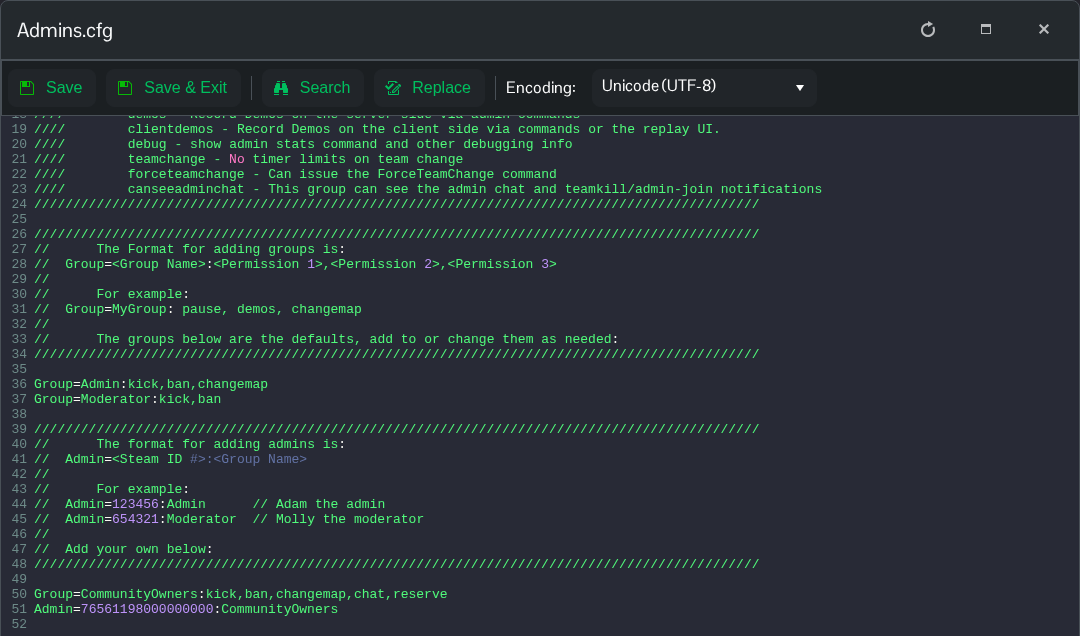
- 两行中的组名必须完全一致。此示例授予踢出玩家、封禁玩家、更改地图、使用管理员聊天以及访问预留位置的权限;请移除该组不需要的权限。
- 点击 Save & Exit,然后启动服务器。玩家应重新连接后再检查其管理员权限。
