如何更改 Squad 服务器上的欢迎消息

列印
  • 0

使用 MOTD.cfg 设置服务器的欢迎文本和规则。请保持消息简短,以便新玩家在加入小队前阅读。

  1. 在游戏控制面板中打开 Squad 服务并停止服务器。
  2. 打开 Configuration Files,然后选择 MOTD.cfg 旁边的 Text Editor。
  3. 将现有消息替换为你自己的欢迎文本或规则。
    Welcome to our Squad community. Play the objective and follow the server rules.
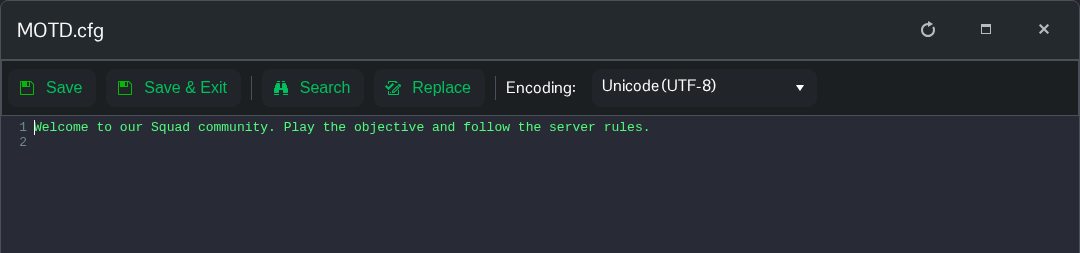
    包含欢迎消息和服务器规则的 Squad MOTD.cfg

  4. 点击 Save & Exit,然后启动服务器。

這篇文章有幫助嗎?

相關文章

« 返回

Follow us on Social Media

Stay in the loop! Follow our social media accounts and stay up-to-date with the latest news, announcements, tips & tricks and behind-the-scenes insights!