服务器名称由 Config Editor 中的 AloftServer.ps1 控制。
- 在控制面板中打开你的 Aloft 服务器,然后点击 Configuration Files。
- 在
AloftServer.ps1旁点击 Config Editor。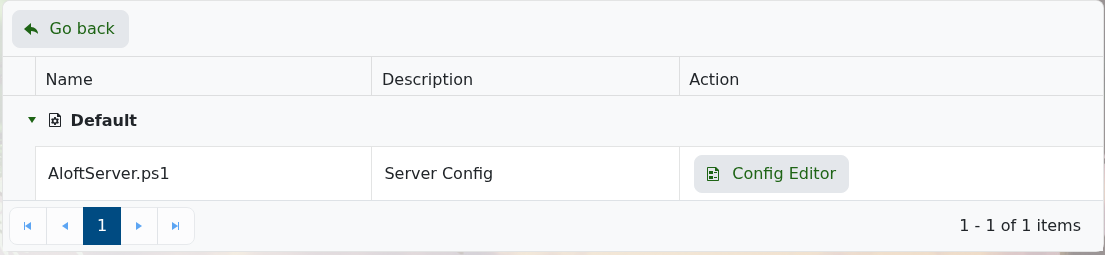
- 将 Server Name 字段更改为你希望玩家看到的名称。
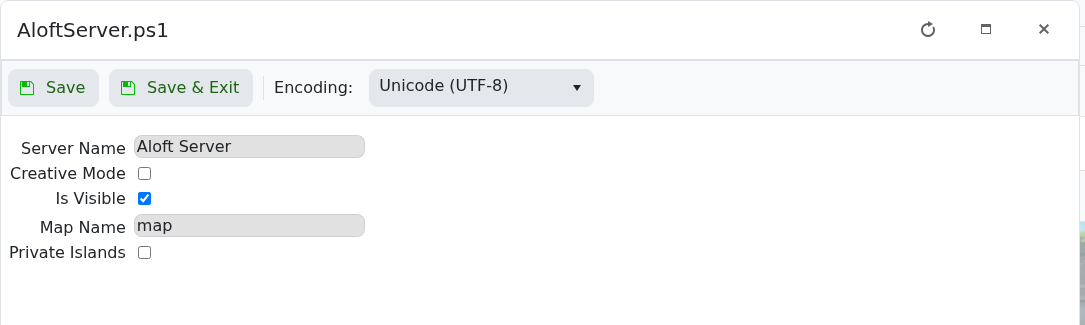
- 点击 Save & Exit,然后重启服务器。
有关本页上其他设置,请参阅 修改你的 Aloft 服务器的设置。
保存后
更改公开列表详情后请重启服务器。某些游戏服务器浏览器会缓存名称、描述和横幅,因此即使服务器已重启,旧值在短时间内仍可能显示。
如果仍显示旧值
检查控制面板中是否仍保存了新值,然后刷新游戏内服务器浏览器或尝试直接连接。在确认基本更改可生效之前,请避免使用特殊字符。
