The name shown in the server browser comes from the active command line. Create a custom profile when you want to change it without altering the supplied defaults.
- Stop the server and open Commandline Manager.
- Select Custom Commandlines, then click New.
- Give the profile a clear description, tick Server Name and enter the name players should see.
- Select the map and scenario the server should launch, then click Save.
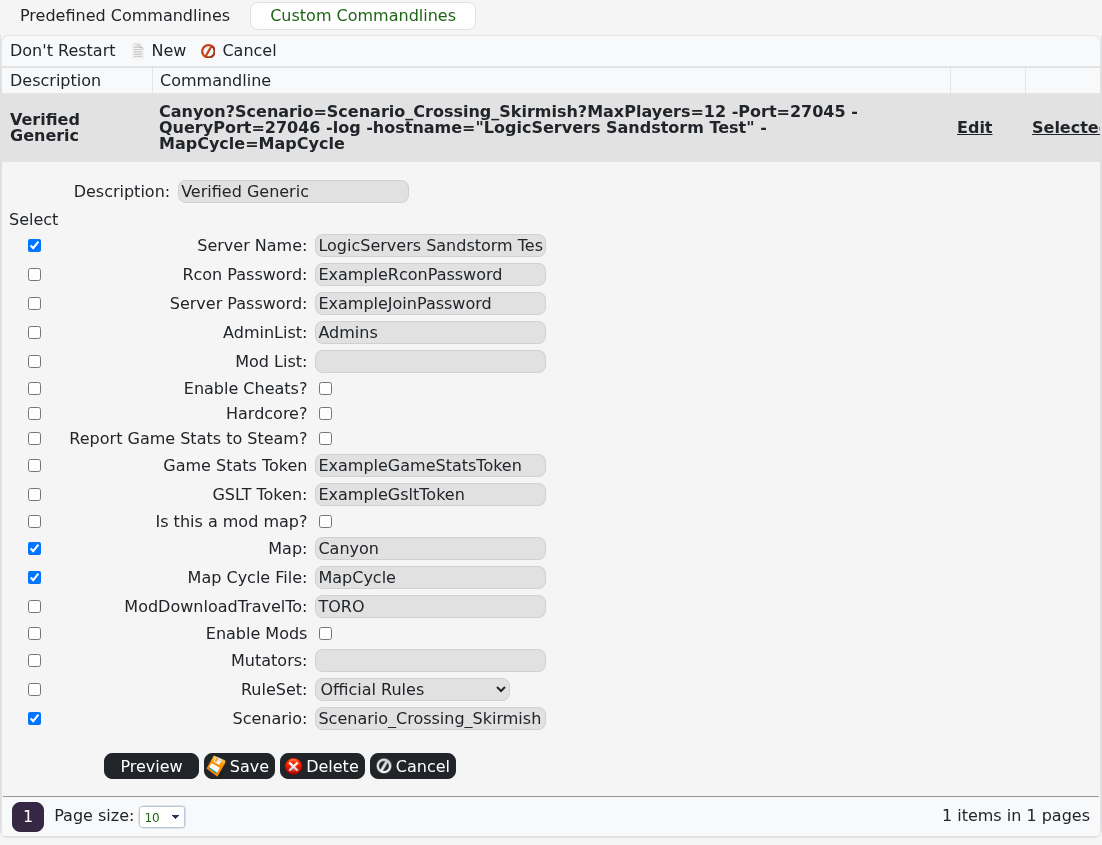
- Click Select beside the saved profile and start the server.
Allow the in-game browser a few minutes to refresh. If it still shows the old name, return to Commandline Manager and confirm the custom profile is selected.
