To use ATLAS admin commands, set an admin password in the active command line and then enable cheats after joining the server.
- Open your ATLAS server in the control panel and stop it.
- Click Commandline Manager. If you need a new command line, follow the ATLAS custom command-line guide.
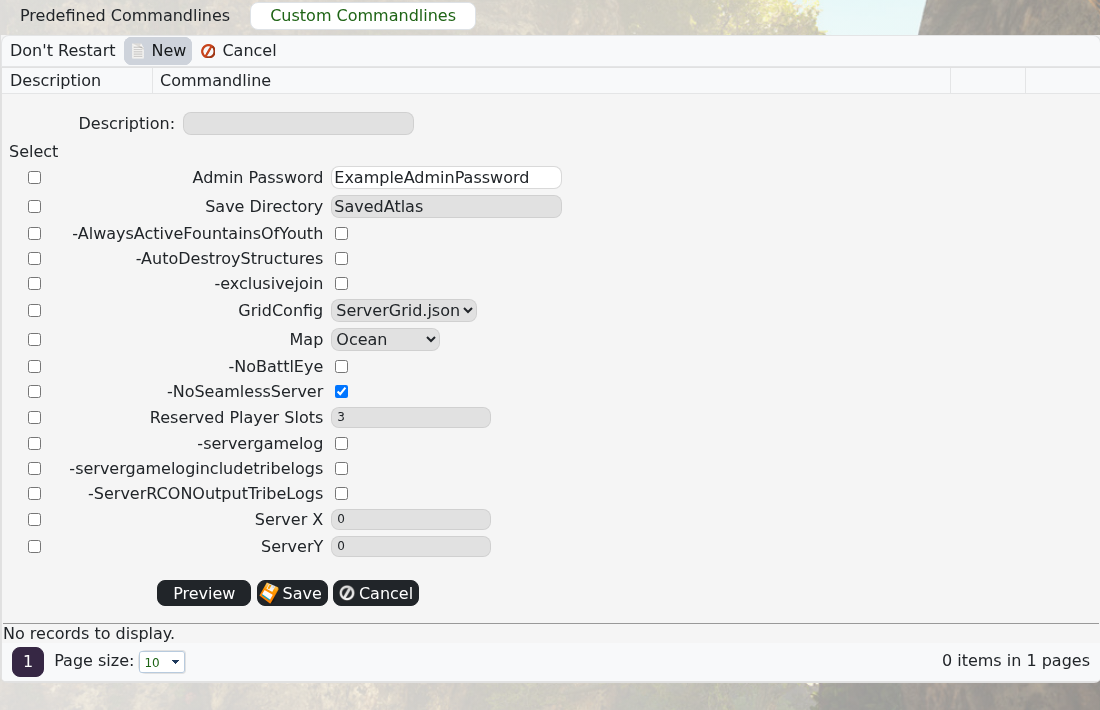
- Open the command line you use, tick the selector checkbox to the left of Admin Password and enter a strong password.
- Save the command line, click Select beside it, then start the server.
- Join the server, press Tab to open the console and run
enablecheats ExampleAdminPassword, replacing the example with your password. - Run
showmyadminmanagerto confirm that admin access is working.
The password is case-sensitive. If the command is rejected, confirm that the command line containing the password is selected and that the server was restarted after the change.
