
Use this guide to run Valheim dedicated-server admin commands from the in-game console. You must add your SteamID64 to adminlist.txt first, then join the server from that same Steam account.
- Add your SteamID64 to
adminlist.txt. If you have not done that yet, follow How to make yourself admin on a Valheim Server.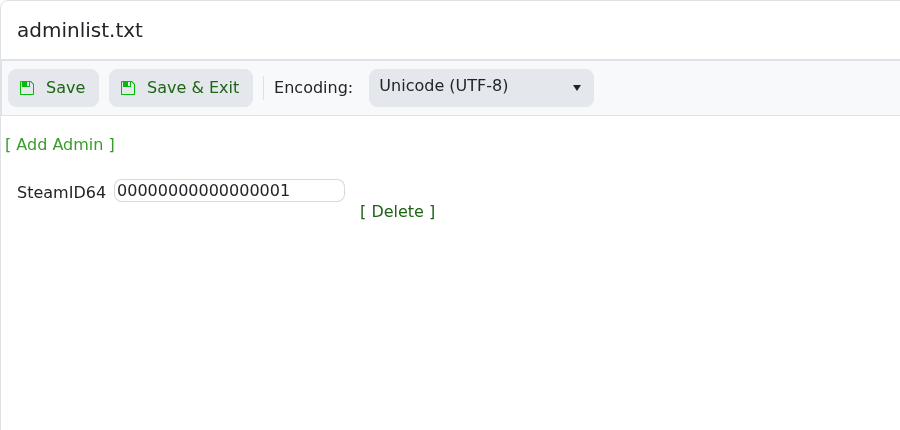
- Restart the server after changing
adminlist.txt. - In Steam, right-click Valheim, open Properties, and add
-consoleto the launch options if the console does not open. - Join your Valheim server with the Steam account you added as admin.
- Press
F5in-game to open the console. - Run
helpto confirm the console is responding. - Run the command you need from the table below.
| Command | What it does | Example |
|---|---|---|
help | Shows available console commands. | help |
info | Shows system and game information. | info |
save | Forces the world to save. | save |
ping | Shows your current latency to the server. | ping |
kick <name/ip/userID> | Kicks a player from the server. | kick PlayerName |
ban <name/ip/userID> | Adds a player, IP, or user ID to the ban list. | ban PlayerName |
unban <name/ip/userID> | Removes a player, IP, or user ID from the ban list. | unban PlayerName |
banned | Lists banned players. | banned |
lodbias | Shows or changes level-of-detail bias for the client running the command. | lodbias |
Dedicated-server admin commands are different from single-player cheat/debug commands. Commands such as devcommands, spawn commands, creative tools, and debug mode are for local gameplay/debug use and are not the normal way to moderate a hosted dedicated server.


