How to upload an existing Conan Exiles world

You can move an existing Conan Exiles world by uploading the world database into the server's Saved folder. The live world database on current Conan Exiles servers is game_0.db.

  1. Stop your Conan Exiles server.
  2. Take or download a backup of the current server before replacing files.
  3. Connect with SFTP or open File Manager.
  4. Open the Saved folder.
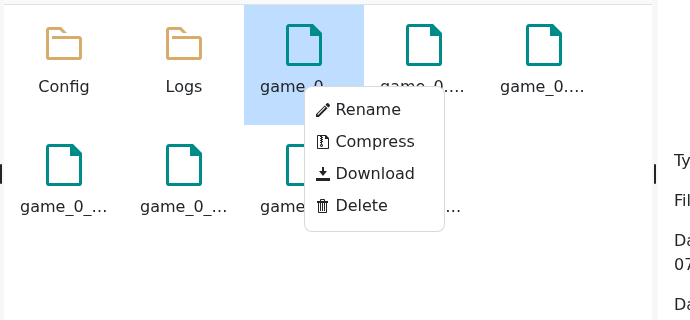
  5. Rename the current game_0.db to a safe name such as game_0_before_upload.db.
  6. Conan Exiles File Manager context menu showing Rename and Delete for the world database file

  7. Upload your existing world database and rename it to game_0.db.
  8. Delete old game_0.db-shm and game_0.db-wal files if they are present.
  9. Start the server and join to confirm the uploaded world loads.
If the server creates a fresh world instead, stop it and check the uploaded file is in the correct Saved folder and is named exactly game_0.db.

  • 0 Users Found This Useful
Was this answer helpful?

Related Articles

Connecting to your Conan Exiles server

The most reliable way to join a Conan Exiles server is to use the address shown on the server...

How to become an admin on a Conan Exiles server

Conan Exiles admin access is enabled in game with the admin password from your server settings....

How to wipe the world of your Conan Exiles server

Wiping a Conan Exiles server removes saved world data so the server can generate a fresh world....

Restoring your Conan Exiles server to an automatic backup

Conan Exiles stores the main world database in the Saved folder. On the current LogicServers...

How to change a Conan Exiles server password

The private server password is the password players enter when joining the server. It is separate...