How to reset Conan Exiles configuration files

Reset a Conan Exiles configuration file when a bad setting prevents the server from starting or when you want to return a file to the panel's default layout.

  1. Stop your Conan Exiles server.
  2. Take a backup before changing configuration files.
  3. Open Configuration Files.
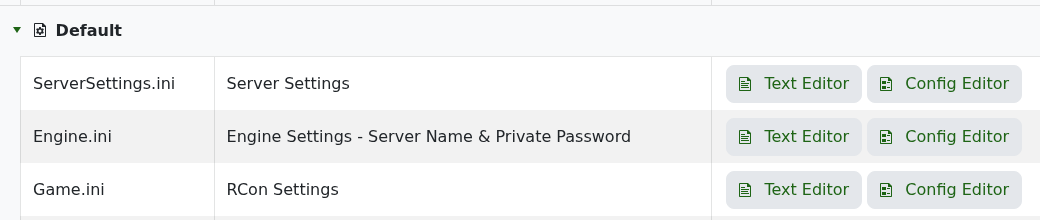
  4. Conan Exiles Configuration Files page showing ServerSettings.ini, Engine.ini, Game.ini, and modlist.txt

  5. Open the file you want to fix with the text editor.
  6. Copy the current contents into a local text file if you may need to refer back to them.
  7. Remove the broken custom lines or restore known-good values.
  8. Save the file and start the server.

If you are not sure which value broke startup, restore the most recent working backup or submit a support ticket with the task output. Avoid deleting every configuration file on a live server unless support has asked you to do it.

  • 0 Users Found This Useful
Was this answer helpful?

Related Articles

Connecting to your Conan Exiles server

The most reliable way to join a Conan Exiles server is to use the address shown on the server...

How to become an admin on a Conan Exiles server

Conan Exiles admin access is enabled in game with the admin password from your server settings....

How to wipe the world of your Conan Exiles server

Wiping a Conan Exiles server removes saved world data so the server can generate a fresh world....

Restoring your Conan Exiles server to an automatic backup

Conan Exiles stores the main world database in the Saved folder. On the current LogicServers...

How to change a Conan Exiles server password

The private server password is the password players enter when joining the server. It is separate...