Use the game address shown under Connection Info in TCAdmin. The FTP and RCON ports are for administration and will not connect the game.
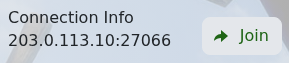
- Open your Medieval Engineers service and copy the IP address and port from Connection Info.
- Start Medieval Engineers and open its multiplayer server browser.
- Add or connect to the server using the copied address. You can also click Join in TCAdmin on a computer with Steam and the game installed.
- Enter the server if it appears, then allow the world to finish loading.
If it does not respond, check that the service is Running and that your game has finished updating. A private server also requires your Steam account to belong to the configured Steam group.
