Set a join password when you want to keep your Stormforge server for your own group. This is the password friends enter in the game's Direct IP menu; it is separate from your TCAdmin login.
Using Config Editor
- Open your Stormforge service in TCAdmin and stop the server.
- Click Configuration Files, then Config Editor beside
settings.json. - Enter the password you want in Server Password.
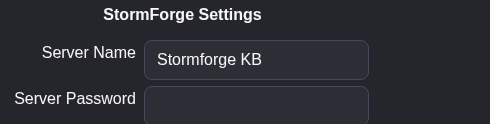
- Click Save & Exit, then start the server.
- Give the password to your group and follow the Stormforge joining guide to connect.
To remove the password, stop the server, clear Server Password, save and start it again.
Using Text Editor
With the server stopped, open Configuration Files and choose Text Editor beside settings.json. Change the existing password entry:
"password": "MyPrivatePassword"Keep the rest of the file in place. Use an empty string ("password": "") to remove the join password. Save & Exit, then start the server again.
