Set a recognisable name for your Karagon server through Settings.ini.
- Stop your Karagon server in the game control panel and wait for Stopped.
- Open Configuration Files and click Config Editor beside
Settings.ini.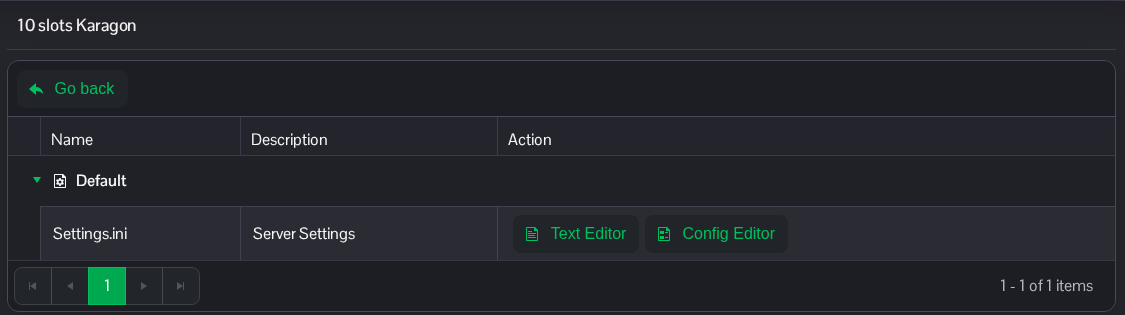
- Replace Server Name with the name you want players to see.
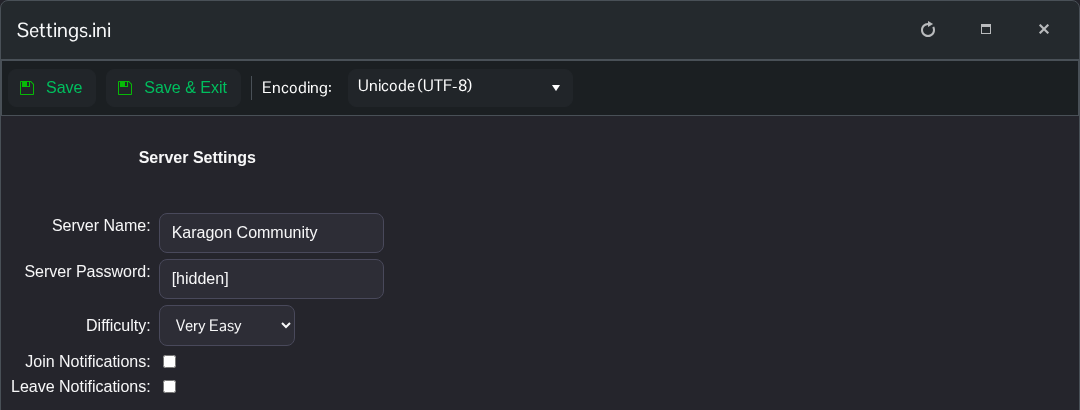
- Click Save & Exit, return to the service page and start the server.
Refresh the server list after the restart to look for the new name.
If you prefer to edit the file directly, choose Text Editor beside Settings.ini and change the following entries under the existing [Settings] heading.
[Settings]
Server.Name=Karagon Community
The file is NewKaragon/Saved/Config/WindowsServer/Settings.ini in File Manager. You can also transfer a local copy using FTP. Keep the other settings in place.
