Start a fresh Karagon save by moving the current world file out of the filename the server loads. Keep the old file so you retain a copy of the previous world.
- Stop the server and wait for Stopped, then create a backup before changing the save file.
- Open File Manager and go to
NewKaragon/Saved/SaveGames. You can use FTP instead if you prefer to transfer the save files locally. Download your current.csavbefore changing it. - Right-click the current save, choose Rename, add
.previousto its full filename and press Enter. For example,SaveSlot1___MainIsland___27075.csavbecomesSaveSlot1___MainIsland___27075.csav.previous. Use the filename on your own service; the final number is the game port. - Start the server and allow the world to load and complete an automatic save. Refresh File Manager afterwards. A new
.csavwith the original filename should appear alongside the retained.previousfile.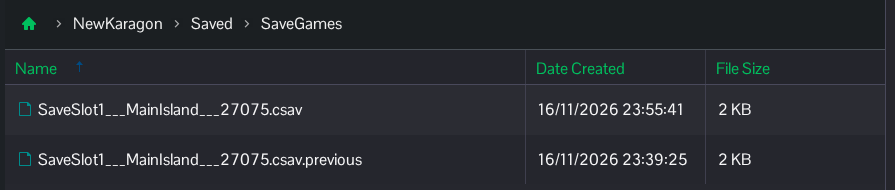
This starts a fresh save on MainIsland. Keep your downloaded copy and the earlier panel backup until you are sure you want to continue with the new save.
