Karagon uses your SteamID64 in Server.Admins to identify a server admin. Use the numeric ID for the Steam account you play with, rather than your display name. These steps set a single admin ID.
- Find your SteamID64, then stop your Karagon server.
- Open Configuration Files and choose Text Editor beside
Settings.ini. - Under
[Settings], findServer.Admins. Replace the defaultN/Awith your own SteamID64. If an ID is already set, keep a copy of it before replacing it. The line below is a placeholder; replaceYOUR_STEAMID64with your numeric ID.[Settings] Server.Admins=YOUR_STEAMID64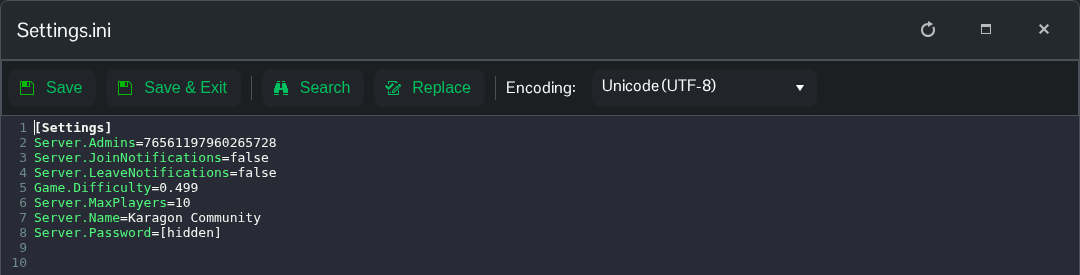
- Click Save & Exit, start the server and join using the Steam account whose ID you entered.
If you want to remove the configured admin, set Server.Admins=N/A and restart. The file is NewKaragon/Saved/Config/WindowsServer/Settings.ini.
