Karagon provides Normal, Easy and Very Easy difficulty settings. Choose one of these supported presets rather than treating the value as an unrestricted multiplier.
- Stop your Karagon server in the game control panel and wait for Stopped.
- Open Configuration Files and click Config Editor beside
Settings.ini.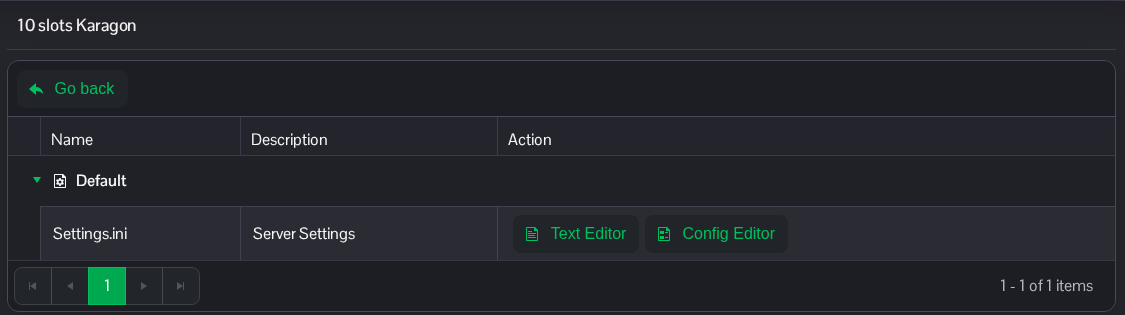
- Choose Normal, Easy or Very Easy from Difficulty.
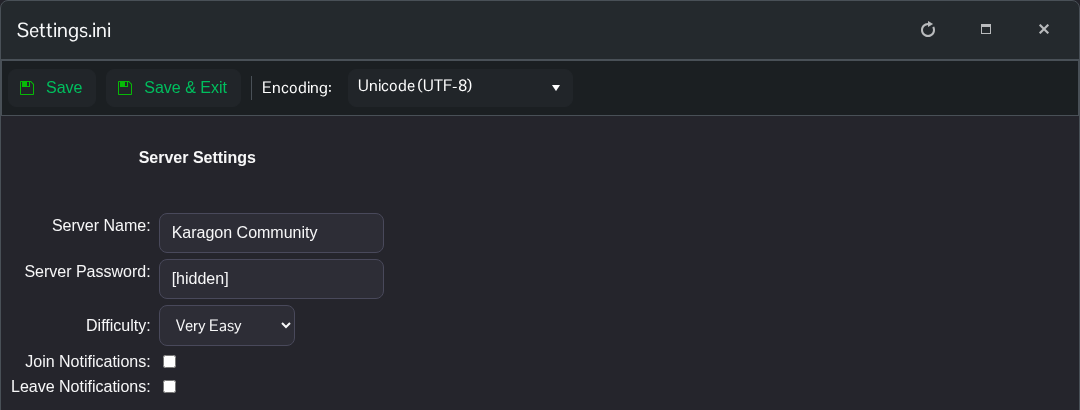
- Click Save & Exit, return to the service page and start the server.
For manual editing, Normal uses 1.0, Easy uses 0.5 and Very Easy uses 0.499. The developer warns that other values may break the game.
If you prefer to edit the file directly, choose Text Editor beside Settings.ini and change the following entries under the existing [Settings] heading.
[Settings]
Game.Difficulty=0.499
The file is NewKaragon/Saved/Config/WindowsServer/Settings.ini in File Manager. You can also transfer a local copy using FTP. Keep the other settings in place.
