You can change the day cycle with TODCycleSpeed.
- Stop your Outpost Zero server and wait for Stopped.
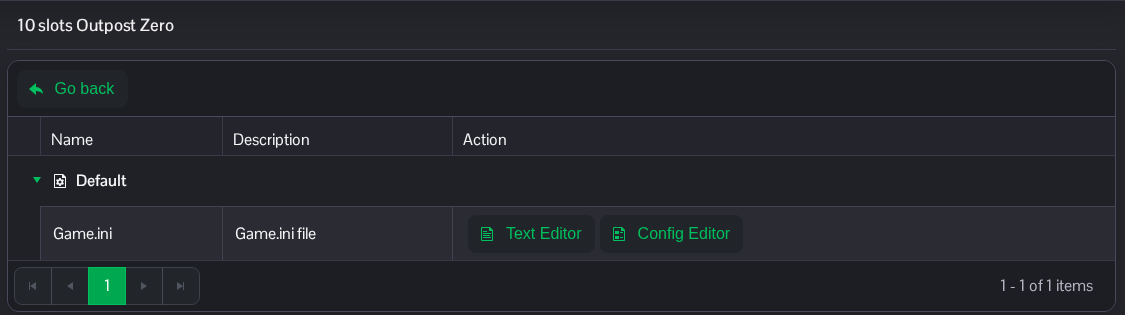
- Open Configuration Files and click Text Editor beside Game.ini.
- Use the full section heading below and change
TODCycleSpeed. The installed default is30.0; this example uses60.0. Keep other settings in place. If the section is missing, add it once at the end of the file.[/Game/Blueprints/Environment/BP_Sky_Sphere_Advanced.BP_Sky_Sphere_Advanced_C] TODCycleSpeed=60.0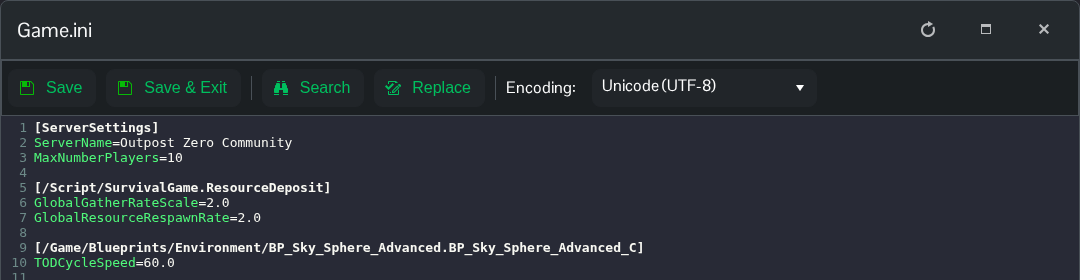
- Click Save & Exit, then start the server.
Set TODCycleSpeed=30.0 and restart to return to the installed value.
You can also open the same file in File Manager at Saved/Config/WindowsServer/Game.ini. FTP is an alternative for transferring a local copy.
