Use the current SurvivalGame.log when investigating startup or server errors. The installation also contains older bundled logs, so check the modified date.
- Open your server in the game control panel and select Log Viewer.
- Find the current SurvivalGame.log row and click Download. Choose the one whose modified date matches your latest server session.
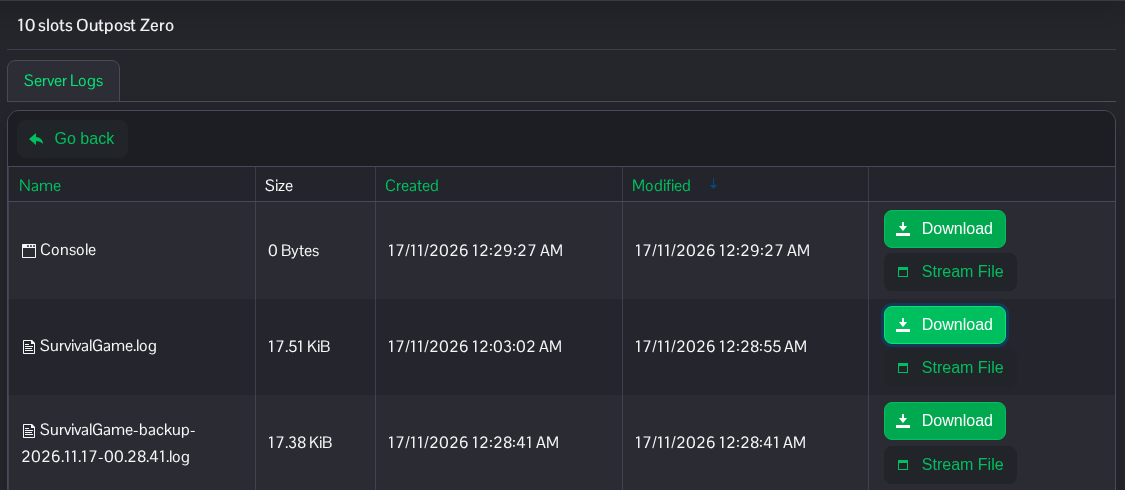
- Open the downloaded file and look around the time of the problem.
GameNetDriveridentifies the listening port andSteam Session Started!records Steam session startup.
The current log is also available in File Manager at Saved/Logs/SurvivalGame.log, with FTP as an alternative. A running log can still be buffered; stop the server and download it again if the file appears empty. Check for private information before sharing logs.
