Dragonwilds server settings are managed in DedicatedServer.ini from the Configuration Files page.
Edit DedicatedServer.ini
- Open your Dragonwilds server in the control panel, then click Configuration Files on the left side menu.
- Open DedicatedServer.ini with Config Editor.
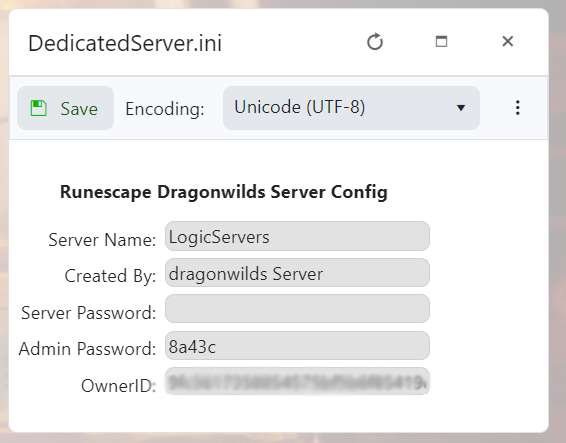
- Change the setting you need, then click Save & Exit.
- Restart the server so the new setting is used.
Useful Dragonwilds settings
| Setting | What it controls |
|---|---|
ServerName |
The name shown for your Dragonwilds server. |
WorldPassword |
The password players use to join. Leave blank for no join password. |
OwnerId |
The Dragonwilds Player ID used to grant owner access. |
DefaultWorldName |
The world/save name the server should load. |
ServerGuid |
A generated server ID. Do not change this unless support asks you to. |
Take a backup before changing multiple settings at once. That gives you an easy restore point if the server does not start afterwards.
