ASKA can unload the world when the last player leaves. Turn on Keep Server World Alive if you want the world to keep running even when nobody is connected.
- Open your ASKA server in the control panel, then click Configuration Files.
- Click Config Editor next to
server properties.txt.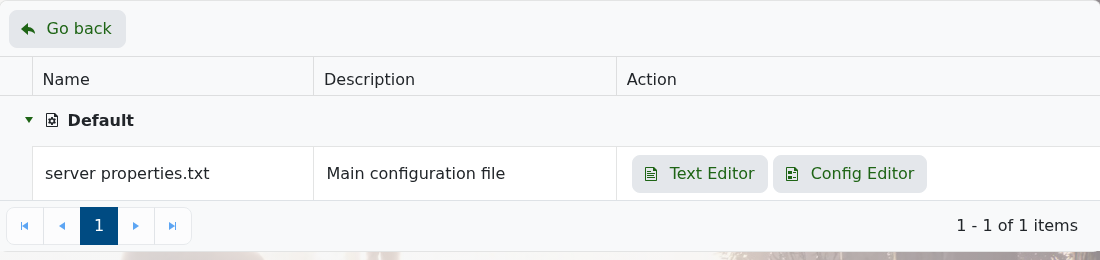
- Tick Keep Server World Alive.
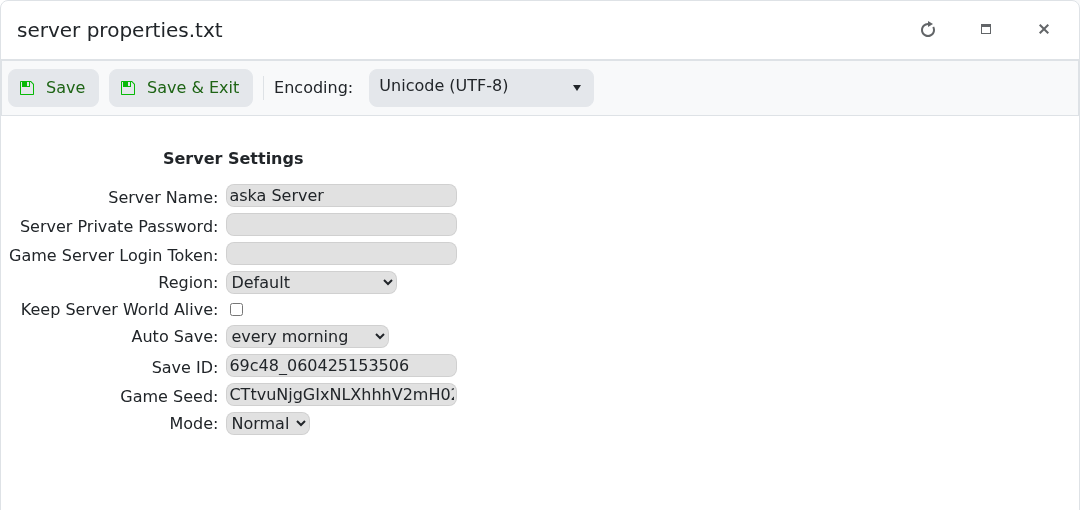
- Click Save & Exit, then restart the server.
In the text file, the same setting is keep server world alive. When it is set to false, ASKA loads the world when the first player joins and unloads it when the last player leaves.
Before you start
Make one change at a time and keep a note of what you changed. If the server is active, warn players before restarting or applying settings that may disconnect them.
If you get stuck
Check the control-panel console or latest log output for errors. If you submit a support ticket, include the server name, the change you made, and the exact error message.
