The ASKA server name and private password are edited from server properties.txt in the Config Editor.
- Open your ASKA server in the control panel, then click Configuration Files.
- Click Config Editor next to
server properties.txt.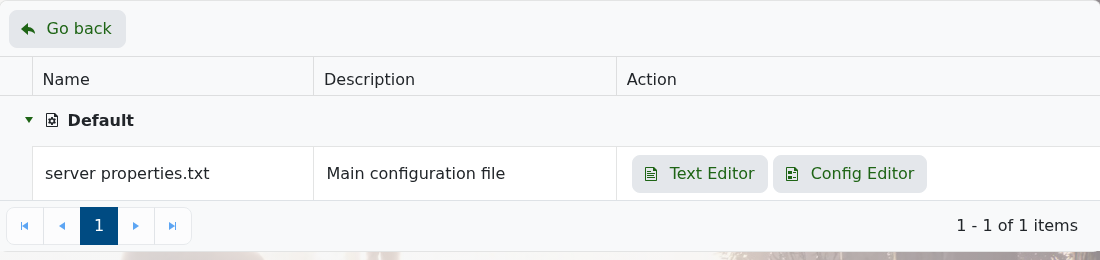
- Change Server Name to the name you want players to see.
- Enter a password in Server Private Password if you want the server to require one.
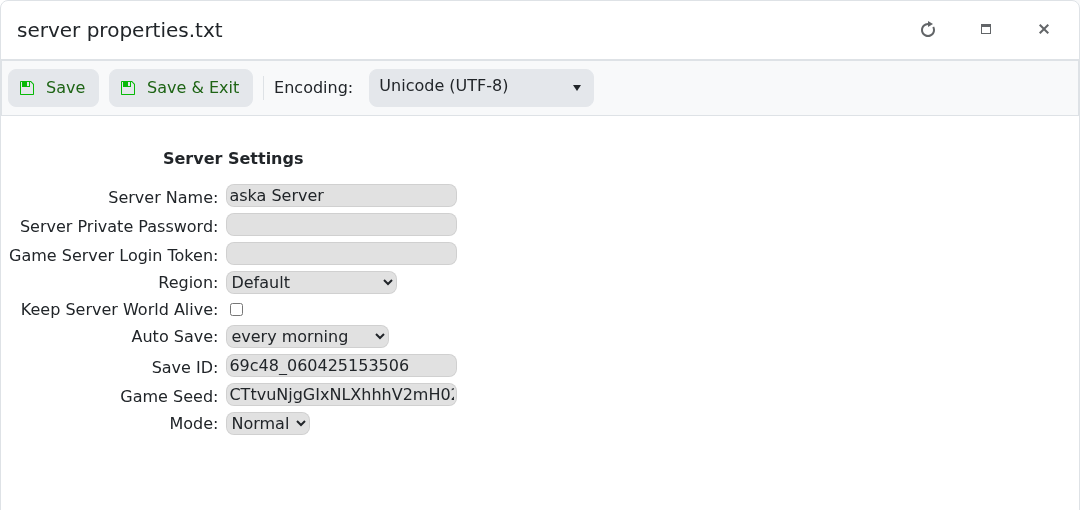
- Click Save & Exit, then restart the server.
The password can be left blank if you want the server to be open. For existing saves, ASKA may keep using the name stored in the save itself.
Password tips
Use a password you can safely share with your players and avoid reusing account passwords. After saving the change, restart the server and test joining before sending the new password out.
If the password does not apply
Check that the value saved correctly in the configuration editor, then restart the server again. If players can still join without a password, submit a support ticket with the server name and the setting you changed.
