Icarus loads a specific uploaded prospect from LoadProspect= in ServerSettings.ini. The value must match the prospect name from the JSON file in the server file manager.
- Open your Icarus server in the control panel and stop the server.
- Open File Manager, then go to
Icarus/Saved/PlayerData/DedicatedServer/Prospects. If the prospect is not already on the server, upload it first: How to upload an Icarus prospect to your server.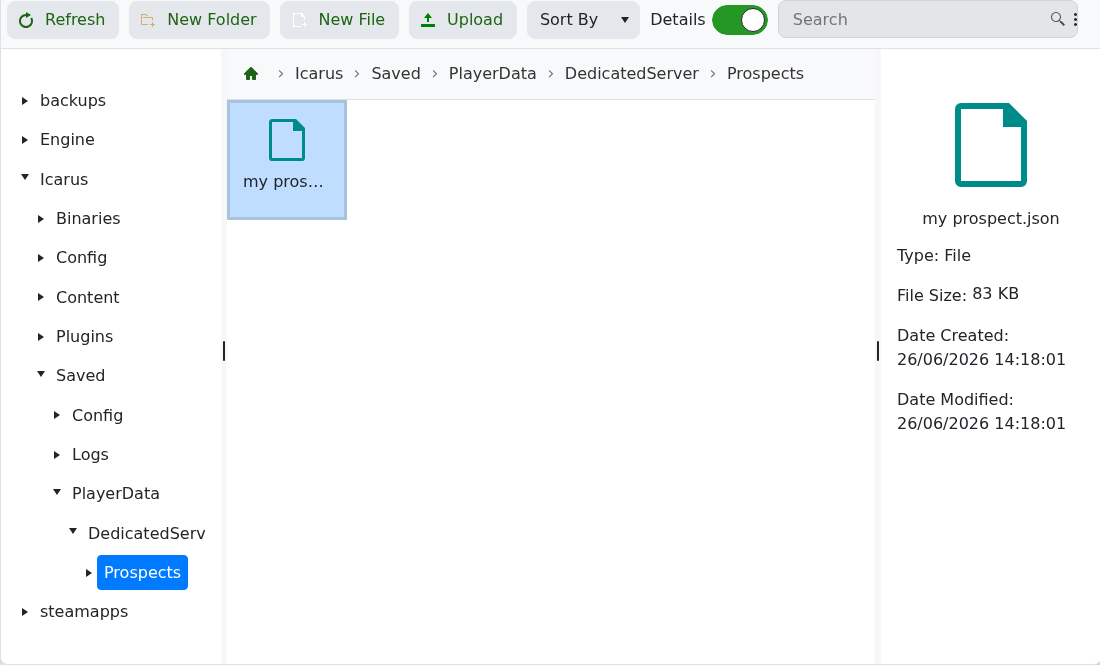
- Copy the exact prospect name you want the server to load. If the file is called
my prospect.json, usemy prospect. - Click Configuration Files, then open
ServerSettings.iniwith Text Editor. - Find
LoadProspect=and enter the prospect name after the equals sign. For example, if the file is calledmy prospect.json, useLoadProspect=my prospect.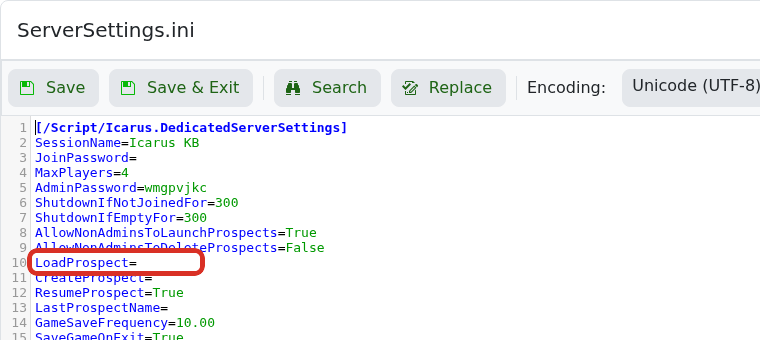
- Make sure
ResumeProspect=Trueis set. In Config Editor, this same setting is shown as Resume Prospect.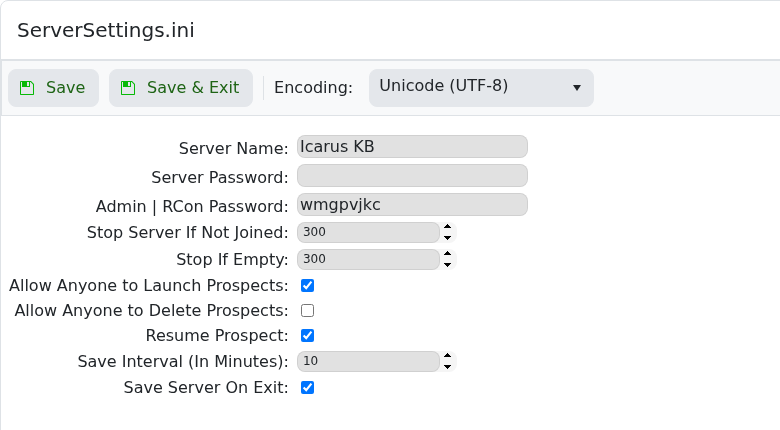
- Click Save & Exit.
- Start the server and test it in-game.
If the server still starts the wrong prospect, submit a support ticket and include the prospect name you entered.
