Use this when you already have an Icarus prospect .json file and want the dedicated server to load it. If you only want to make a fresh world, use How to create a world on your Icarus server instead.
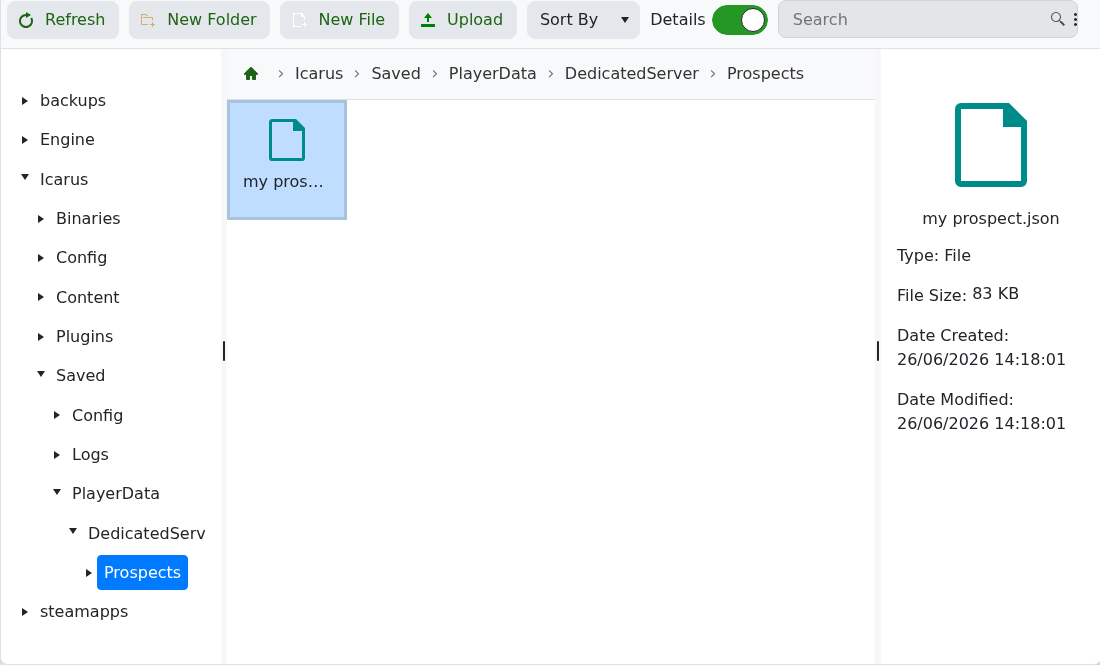
Icarus dedicated server prospects are stored in Icarus/Saved/PlayerData/DedicatedServer/Prospects.
- Open your Icarus server in the control panel and stop the server.
- Take a backup first: How to backup your Icarus Server.
- Click File Manager.
- Open
Icarus/Saved/PlayerData/DedicatedServer/Prospects. Create any missing folders in that path if they are not already present. - Click Upload, then upload the prospect
.jsonfile. A prospect created in-game is saved as a JSON file, for examplemy prospect.json.For SFTP uploads, use the same folder path in FileZilla: How to connect to SFTP using FileZilla.
- Copy the prospect name from the JSON file name. For example,
my prospect.jsonis the prospect namemy prospect. - Set the server to load that prospect using How to change which prospect your Icarus server loads.
- Start the server and test it in-game.
