Most Arma Reforger server behaviour is controlled by server_config.json. Use the Config Editor for common values, and use Text Editor only when you need to edit JSON fields that are not exposed in the form.
- Open your Arma Reforger server in the control panel.
- Click Configuration Files.
- Open
server_config.jsonwith Config Editor for normal changes.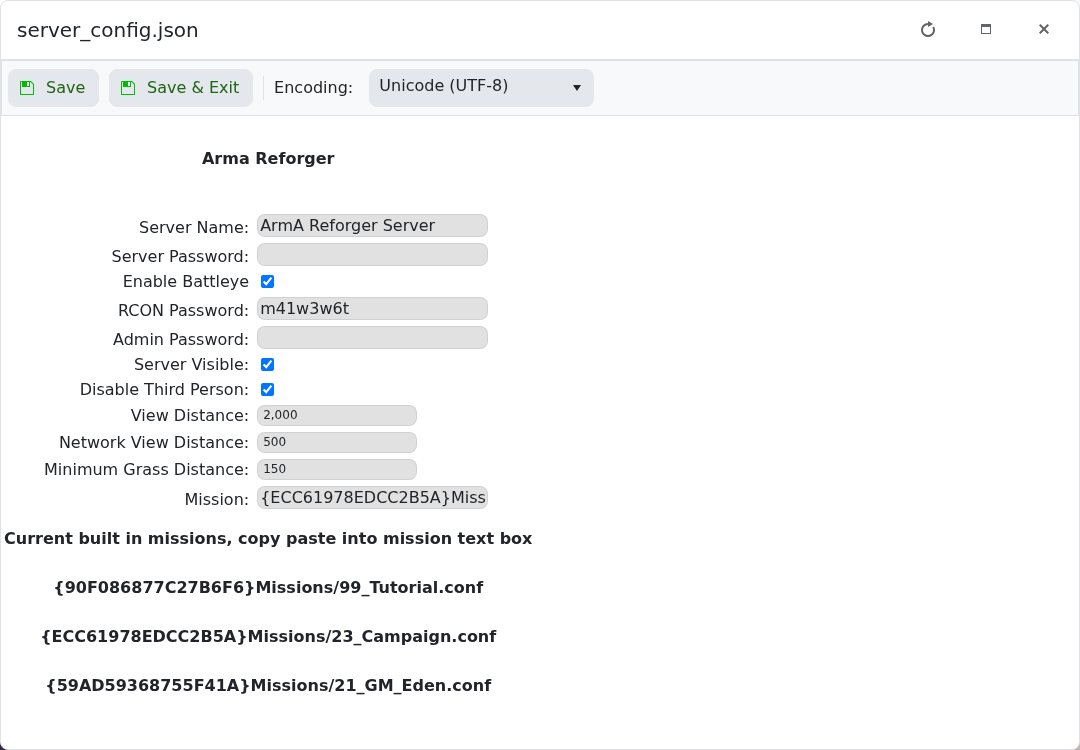
- For advanced JSON changes, open
server_config.jsonwith Text Editor.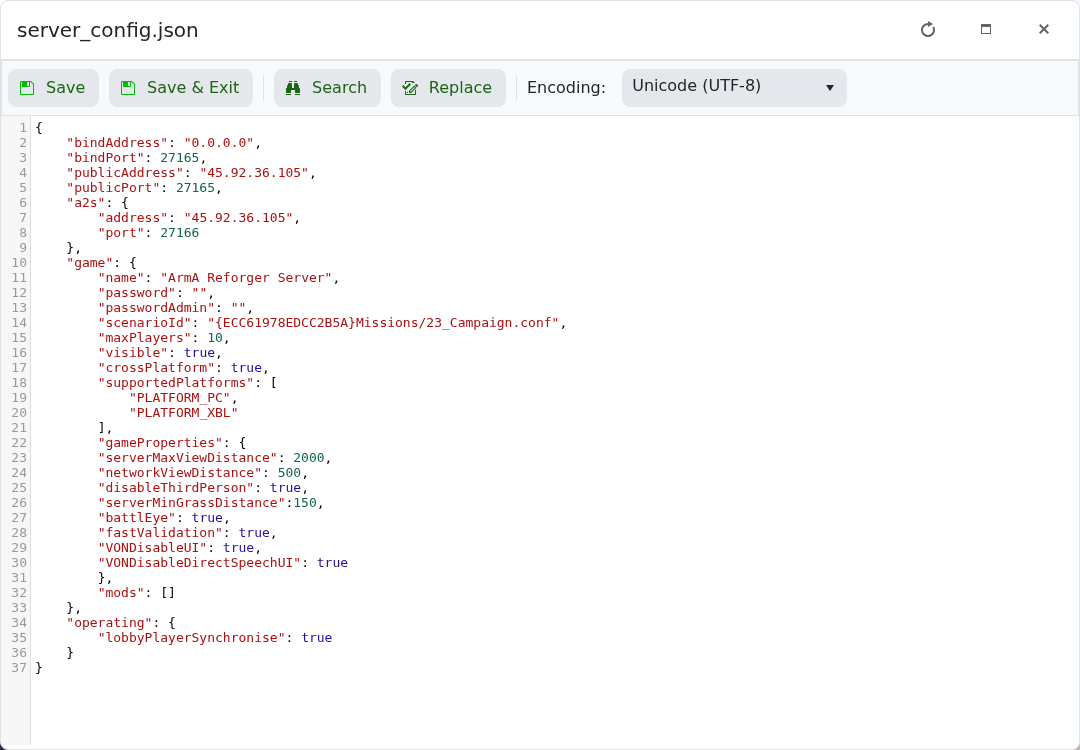
- Click Save & Exit, then restart the server.
| Setting | What it controls |
|---|---|
game.name | The name shown in the server browser. |
game.password | Password required to join the server. |
game.passwordAdmin | Password used for admin access. |
game.scenarioId | The mission/scenario the server loads. |
game.maxPlayers | Maximum players allowed on the server. |
game.visible | Whether the server should appear in the browser. |
game.crossPlatform | Whether crossplay is enabled for supported platforms. |
game.supportedPlatforms | Which platforms can join, such as PC and Xbox. |
game.gameProperties | Gameplay options such as third person, view distance, grass distance, BattlEye, and voice settings. |
mods | Workshop mods loaded by the server. |
JSON is strict. Missing commas, extra commas, or broken quotes can stop the server from starting. Take a backup before editing advanced values.
