BattlEye RCON settings are stored in Savegame\battleye\BEServer_x64.cfg. Use this if an external RCON tool needs the Reforger RCON address, port, and password.
- Open your Arma Reforger server in the control panel.
- Click Configuration Files.
- Open
Savegame\battleye\BEServer_x64.cfgwith Text Editor.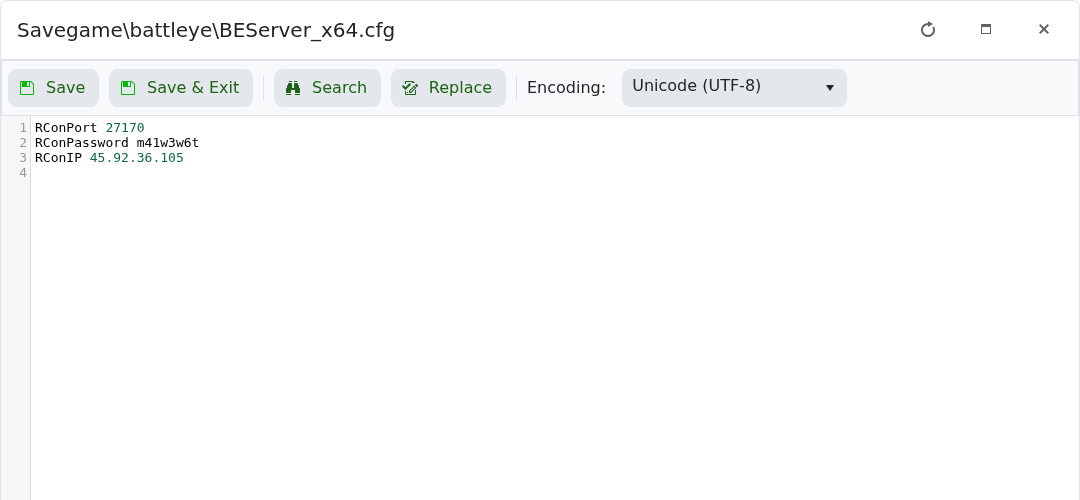
- Set
RConPortto the RCON port shown in the control panel. - Set
RConPasswordto a private password. - Set
RConIPto the server IP if required. - Click Save & Exit, then restart the server.
Keep the RCON password private. Anyone with the RCON address and password may be able to run remote server commands.
Command safety
Run commands exactly as shown and start with a harmless command where possible. Commands that spawn items, change players, or alter the world can affect active players immediately.
Troubleshooting
If a command fails, check that admin access or RCON is enabled, confirm the command syntax for your game version, and review the console output for the exact error message.
