Scheduled restarts help keep long-running Arma Reforger servers stable and give players a predictable maintenance window. Use the Scheduled Tasks area to create a restart task at a quiet time.
- Open your Arma Reforger server in the control panel.
- Click Scheduled Tasks from the left side menu.
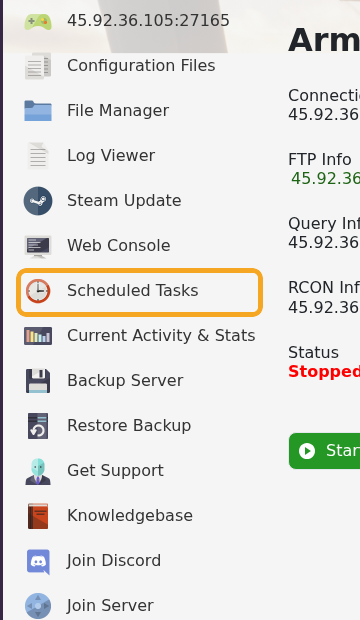
- Click New above the task list.

- Set Task Type to Scheduled Start/Stop/Restart, then click [ New ].

- On the Restart Schedule tab, give the task a clear name, such as
Daily restartorFortnightly restart, and leave Enabled ticked.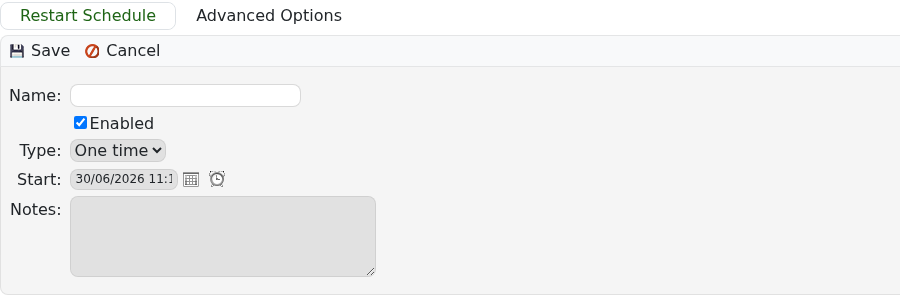
- Set the first Start date and time. Pick a quiet time for your main player region.
- Set Type to Daily for an every-day restart, or Weekly if you want a weekly or two-week maintenance pattern.
- Save the task.
- Return to Scheduled Tasks and check the Next Run Time so you know when the restart will happen.
If you run a public server, tell players when the restart normally happens so they can avoid losing progress during active sessions.
