Restore a Valheim backup when you need to roll the server back after an unwanted world change, failed mod install, broken update, or accidental file edit. Restoring replaces current files with the selected backup.
- Open your Valheim server in the control panel.
- Stop the server.
- Click Restore Backup.
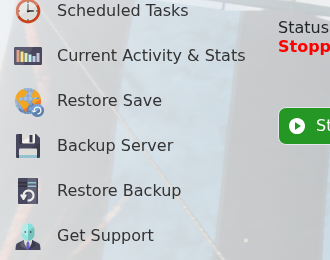
- Select the backup file you want to restore.
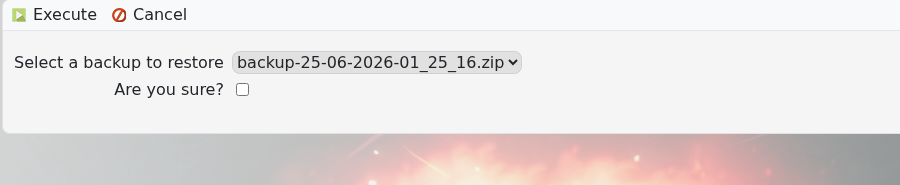
- Tick Are you sure?, then click Execute.
- Wait for the restore to finish, then start the server.
If you are unsure which backup is correct, submit a support ticket before overwriting the current server files.
Before restoring
Restoring a backup overwrites the current server files. If there is anything from the current state you may need later, create or download a fresh copy before starting the restore.
After restoring
Start the server and check the console for errors before inviting players back. If you restored because of a mod or configuration issue, confirm the server works before applying the same change again.
